Question / Help Streaming Issues

HeyRobert!

New Member
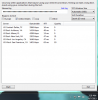
Cant hold.PNG


Streaming is terrible today, I have no idea why. Same internet and same computer...

its fluctuating from 0 kb/s to 3100, flashing red, green and all the colors in between.

My Max bitrate is set at 2500 streaming in 60fps 1280 x 720

Checked updates, reset computer/internet, checked the Dallas server everything is green.
 
Update:

Tried running on another broadcasting program(xsplit) same issue, basically my uploading is going like crazy from 0 kb/s to 3100 kb/s

while not streaming; games are running perfectly fine even when I watch live streams everything is good .. so I'm stumped.

random shot in the dark. No streaming for me today. I'm guessing weather.
 
Aye, my stream to Twitch suddenly droppped last night as well; was initially using the same ingest server as you (and then tried all the US ones).. It ended up fixing itself a while later and everything else worked fine so I'm guessing it was something on their end.
 
still same issue today.. upload is 6.60 mbps

My bitrate is set at 2500 streaming in 60fps 1280 x 720

I dont know why its trying to push into 3100 like its almost trying to push into 1920 x1280

really would like some help.. want to stream. :(
 
trying to troubleshoot

New Question:

if I click preview stream, does that correspond with the same uploading demand as it would if i were to actually stream live.

if so, its holding green and getting from 2400 to 2700 kbps no dropping frames, why in preview does it hold green but live it doesn't.
 
The preview wont send out any data over your network, but (as long as you dont disable the encoder in the advanced settings) it will encode the video as it would while streaming, thats why you see the bitrate.
It sounds a lot like connection problems, have you tried the twitch bandwidth tester yet?
 
The preview wont send out any data over your network, but (as long as you dont disable the encoder in the advanced settings) it will encode the video as it would while streaming, thats why you see the bitrate.
It sounds a lot like connection problems, have you tried the twitch bandwidth tester yet?


I wanna try it again when i normally stream and see if there is a difference as well and switching streaming service, I dont think its OBS, going to troubleshoot using hitbox to see if it could be twitch.
 

Attachments

  • Server 7.30am morning.PNG
    Server 7.30am morning.PNG
    54.5 KB · Views: 18
I wanna try it again when i normally stream and see if there is a difference as well and switching streaming service, I dont think its OBS, going to troubleshoot using hitbox to see if it could be twitch.
that issue is between you your ISP and twitch. Since you've already run the twitch bandwidth tool you need to next contact your ISP and/or twitch with the issue.

Here are, ofc, the rest of the solutions that OBS has to assist you, but if its your ISP or twitch, its really up to them to fix it.
https://obsproject.com/forum/threads/dropped-frames-disconnecting-lag-read-this-first.8870/
 
Back
Top