

Hello guys. So I've been trying to stream a game and I kept trying to make the resolution work but it didn't. Either the resolution in the main lobby appear too large or too small and the in-game is vice versa. Streamlabs can't capture both at the same time same resolution. I have to do "Stretch to screen" manually every time i switch between the 2 and that is so bad. Especially for streaming.
So it comes down to either stretching the lobby menu and screwing up the in-game resolution or vice versa.
Anyone know a turn around out of this issue?
The only resolution where both lobby menu and in-game match is when I put Display mode for the game to "Normal 4:3" "1024x768"
Is there a way to make Streamlabs automatically stretch to screen of both main lobby and in-game instead of me doing it manually?
Thank you
My Streamlabs base(canvas) and output(scaled) are on 1920x1080
So it comes down to either stretching the lobby menu and screwing up the in-game resolution or vice versa.
Anyone know a turn around out of this issue?
The only resolution where both lobby menu and in-game match is when I put Display mode for the game to "Normal 4:3" "1024x768"
Is there a way to make Streamlabs automatically stretch to screen of both main lobby and in-game instead of me doing it manually?
Thank you
My Streamlabs base(canvas) and output(scaled) are on 1920x1080
Attachments
-
![how in-game look in 1080 [not working] -streching this will change the main lobby resolution.png](/forum/data/attachments/74/74518-ee3ad0cd353167fd9e1834112652bbc1.jpg?hash=7jrQzTUxZ_) how in-game look in 1080 [not working] -streching this will change the main lobby resolution.png584.3 KB · Views: 23
how in-game look in 1080 [not working] -streching this will change the main lobby resolution.png584.3 KB · Views: 23 -
![how main lobby look with 1080 [stretched].png](/forum/data/attachments/74/74519-ff2f3a272d5f3f2133459d7504a35a43.jpg?hash=_y86Jy1fPy) how main lobby look with 1080 [stretched].png284 KB · Views: 18
how main lobby look with 1080 [stretched].png284 KB · Views: 18 -
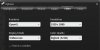 changed to widescreen and 1080p.png18.7 KB · Views: 23
 -
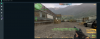 how in-game resolution look with 1024x768 [stretched.png976.4 KB · Views: 20
 -
![how main lobby look with 1024x768 [stretched].png](/forum/data/attachments/74/74522-0976a88fcc5f63e9244d022341d608d2.jpg?hash=CXaoj8xfY-) how main lobby look with 1024x768 [stretched].png312.2 KB · Views: 27
how main lobby look with 1024x768 [stretched].png312.2 KB · Views: 27 -
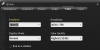 in-game video settings.png18.9 KB · Views: 19
Last edited: