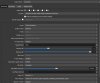
Question / Help Stream bad quality

chxikva

New Member

Attachments

  • obs.jpg
    obs.jpg
    79.2 KB · Views: 46
Last edited:
Looks like screen tearing from quality setting being to high for bit rate, Increase your bitrate output. Needs to be at least 3500-4000 for the quality you are looking for.
 
i used 3500 bit rate or more but it does not matter :( Is there any more ideas?
 

Attachments

  • obsss.jpg
    obsss.jpg
    80.4 KB · Views: 36
No one helps me :(
You don't read replys, the solution to your problem was mentioned multiple times already.

But to have it said explicit again. You need to increase your bitrate to atleast 20000 kbit/s at youtube for 1920x1080 or if your upload speed can't handle that reduce the resolution you stream at.
 
You don't read replys, the solution to your problem was mentioned multiple times already.

But to have it said explicit again. You need to increase your bitrate to atleast 20000 kbit/s at youtube for 1920x1080 or if your upload speed can't handle that reduce the resolution you stream at.
i reading reply but no solutions. i have 20mbs and I think the internet is no fault
 
For good quality on YouTube you need upscale at 1440p and a bit rate of 16+. At 30 there will be a picture close to ideal, even on the grass. In 1080 at any bitrate, in dynamic scenes there will be soap painting and pixels.
 
Not possible to do that based only on specifications without respect to content and quality requirements.

Best you can do is start by running the Auto-Configuration Wizard from the Tools menu, answer its questions, and use those settings as a starting point to make adjustments as required.
 
Not possible to do that based only on specifications without respect to content and quality requirements.

Best you can do is start by running the Auto-Configuration Wizard from the Tools menu, answer its questions, and use those settings as a starting point to make adjustments as required.
auto wizard only optimizes the processor
 
Back
Top