It shows you're loading OBS on your dedicated graphics. This is incompatible with display capture.
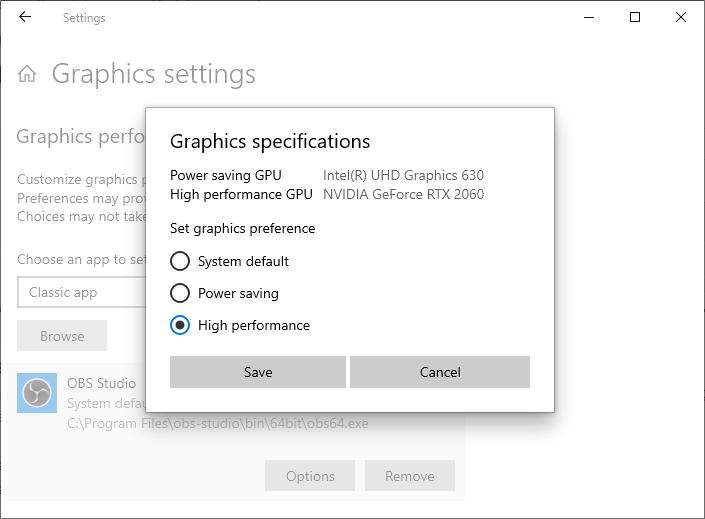
Open Settings and search for "Graphics Settings". Select "Classic App" and browse to C:\Program Files\obs-studio\bin\64bit\obs64.exe (or wherever you have installed OBS). Click "Options" (example screenshot).
If you want to use display capture to capture your screen / desktop, select "Power Saving".
This site uses cookies to help personalise content, tailor your experience and to keep you logged in if you register.
By continuing to use this site, you are consenting to our use of cookies.