Hey there,
so I am looking at this problem for a while now and I also heard that CFR is enabled at default in OBS/SLOBS but when I look at the videodata it has a variable frame rate, this causes me a headache in Premiere Pro as Playback with VFR isalways slow and stutterts in Previews in Programms like Vegas and Premiere Pro.
Most of the time I have steady 60 Frames while recording with no dropped frames report. Only exception are games which are not good optimized, but even then its a Frame drop in the game, not in OBS, so I dont get a warning/report from the programm.
I am using my CPU to capture. (AMD Ryzen 5 2600) so no problem there.
Before I moved to OBS, I recorded with DXtory and it had no Problems and no VFR. The media files were CFR. But OBS is so much better overall and I can stream and record using the same Software. Which is awesome!
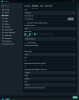
Recording Settings: (Lossless, x264)

Under "Video" I have FPS Type: Integer FPS Value - 60
I always created a Proxy with CRF but man this is getting tiresome.
**Do not confuse CRF with CFR :P**
And as I said, no Problems with the recordings, even when I stream and record, the games FPS is most of the time above 60. But even when it drops, there has to be a way to set CFR.
Premiere Pro even tells me "Variable Framerate detected" :/
And yes, it works with Dxtory, I tested it again to be sure, but I do not want to use that programm anymore and it hasnt gotten any good updates in a while.
Thanks in advance!
so I am looking at this problem for a while now and I also heard that CFR is enabled at default in OBS/SLOBS but when I look at the videodata it has a variable frame rate, this causes me a headache in Premiere Pro as Playback with VFR isalways slow and stutterts in Previews in Programms like Vegas and Premiere Pro.
Most of the time I have steady 60 Frames while recording with no dropped frames report. Only exception are games which are not good optimized, but even then its a Frame drop in the game, not in OBS, so I dont get a warning/report from the programm.
I am using my CPU to capture. (AMD Ryzen 5 2600) so no problem there.
Before I moved to OBS, I recorded with DXtory and it had no Problems and no VFR. The media files were CFR. But OBS is so much better overall and I can stream and record using the same Software. Which is awesome!
Recording Settings: (Lossless, x264)
Under "Video" I have FPS Type: Integer FPS Value - 60
I always created a Proxy with CRF but man this is getting tiresome.
**Do not confuse CRF with CFR :P**
And as I said, no Problems with the recordings, even when I stream and record, the games FPS is most of the time above 60. But even when it drops, there has to be a way to set CFR.
Premiere Pro even tells me "Variable Framerate detected" :/
And yes, it works with Dxtory, I tested it again to be sure, but I do not want to use that programm anymore and it hasnt gotten any good updates in a while.
Thanks in advance!