Question / Help Skipping Frames/High encoding CPU usage

7m7.png
8pt.png
 
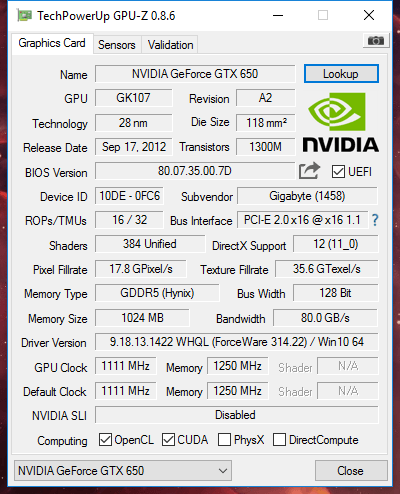
Line 79 in your log indicates that the video card cannot keep up with what you're trying to do.

If it used to work and doesn't anymore, then something changed on your system to cause it.
 
I aslo tried everything. Including downclocking the grapics card to its stock settings. And drivers from the first release for windows 10. But the problem is that I had it working with a specific driver. But then I excadently clicked on the update button and the nividia drivers where updated. So it for sure did work on my pc. Maybe it is just a problem we are not able to fix and have to find other ways to record our dekstop.

I now use shadowplay to record the video and audacity to record the sound. And premiere pro to put the two togheter.

Maybe developers of obs should contact nvidia about this because we can't be the only one having this issue. Maybe we need to setup a thread for people to post information about this problem. And then we can go to nvidia with "hey this doesnt work the way we wanted, and all of those persons have the same problem with the same drivers. Could you maybe check if it is possible to fix it"

But for now I just use OBS to record my games using gamecapture. And nvidia shadowplay and audacity to record my monitor.

###MASSIVE EDIT###
I just found the issue. I had obs running in compatibility mode (sorry for my english dutch). So it was running in windows 7 compatibility mode. I removed it and now I can use monitor capture in 60fps. And I dont have any problems.
 
my obs dosn't have the windows 7 stuff enabled,so i think i have another problem
If you have installed geforce experience try to disable the SHARE feature. It also did the trick for me. I am running the first windows 10 driver for my 970 and the latest geforce experience with SHARE disabled. It works for me so I hope it also works for you. Also make sure to not have any applications running that do something with your screen like teamviewer.
 
Back
Top