Question / Help Skipped frames on Siege?

uhhMagus

New Member
Hey there, whenever I play Siege, I get 300+ frames, but my stream fluctuates between 30 and 40 in game. I'm wondering how to stop frames reducing from 60fps to fluctuating between 30-40fps during streams?

Intel Core i9 9900K
ASUS ROG Strix GeForce RTX 2080 Ti OC 11GB
Team T-Force Night Hawk RGB 3200MHz 32GB DDR4
 

Attachments

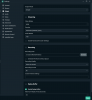
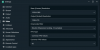
  • Stream 1.PNG
    Stream 1.PNG
    38.1 KB · Views: 24
  • Stream 2.PNG
    Stream 2.PNG
    71.3 KB · Views: 22
I use a 240HZ monitor, hence why I am running it with an uncapped framerate. But if that's what you'd recommend, I'll try it next stream.

Also, here is the log (I believe)
 

Attachments

Don't see any rendering lag in the log.

You do have two monitors, though, and there's a known issue causing stutter when running 2 monitors at different refresh rates.
 
I'm running three monitors, but if I'm in the menu or on any other game, it's fine. If i'm in-game on Siege, I skip a bunch of frames. I don't know how to fix it :(
 
Stutter when running multiple monitors at different refresh rates in Windows 10 is a known issue with no workaround other than setting monitors to the same refresh rate. And in the case of setting a multirefresh monitor to a lower refresh rate, I think some users have also stated that this does not work for them.
 
Back
Top