cybersunbeam
New Member
I am very new to OBS, so it likely could be something I'm doing wrong. However, after downloading v.27 this evening (right before I began a stream), I started having an issue with my Photoshop scene. I have successfully used Photoshop before, with the previous OBS version I had installed. (I should have known not to update my software right before a stream.)
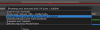
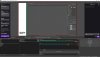
What's happening is this... When I activate my Photoshop scene, it displays either the window where the image should be visible (see screenshot attached), or it only shows the home screen (when you first open Photoshop). On my source display, the image is visible but in the OBS scene, it is not. I thought maybe it was an issue with the source, but I only have one Photoshop source screen available in my dropdown (screenshot attached). I was able to get Illustrator to work without any issues. I will say that after I opened OBS, before I started streaming, I had some weird display issues as well. All of my displays renumbered unexpectedly and I am not 100% positive I didn't accidentally hit a keystroke that caused that. So maybe whatever caused that might have also caused my OBS issue.
I tried deleting the Photoshop scene and recreating it. I tried uninstalling OBS and reinstalling it, neither resolved the issue. I am going to try installing an older version of OBS tomorrow when I have more time, but I wanted to bring up the issue I'm seeing in case it is an issue with the new version of OBS. I didn't see anyone else mention it when I searched, though, so it's likely it's just an issue for me.
The log file is here: https://obsproject.com/logs/qgkFAbP00lcC41dh
What's happening is this... When I activate my Photoshop scene, it displays either the window where the image should be visible (see screenshot attached), or it only shows the home screen (when you first open Photoshop). On my source display, the image is visible but in the OBS scene, it is not. I thought maybe it was an issue with the source, but I only have one Photoshop source screen available in my dropdown (screenshot attached). I was able to get Illustrator to work without any issues. I will say that after I opened OBS, before I started streaming, I had some weird display issues as well. All of my displays renumbered unexpectedly and I am not 100% positive I didn't accidentally hit a keystroke that caused that. So maybe whatever caused that might have also caused my OBS issue.
I tried deleting the Photoshop scene and recreating it. I tried uninstalling OBS and reinstalling it, neither resolved the issue. I am going to try installing an older version of OBS tomorrow when I have more time, but I wanted to bring up the issue I'm seeing in case it is an issue with the new version of OBS. I didn't see anyone else mention it when I searched, though, so it's likely it's just an issue for me.
The log file is here: https://obsproject.com/logs/qgkFAbP00lcC41dh