resonantlake
New Member
I am not good at English. Please excuse me.
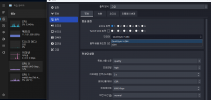
I use i9-12900K and Intel Arc A770. I want to broadcast and record at the same time by using QuickSync H.264. But if I try this, there is a lag.
If I enable internal graphic, it seems that OBS only use internal graphic encorder. I want to broadcast with internal graphic and record with external graphic.
Is there a way to choose between internal graphic encorder and external graphic encorder?
If this is not possible now, do you have any plans to add it later?
I use i9-12900K and Intel Arc A770. I want to broadcast and record at the same time by using QuickSync H.264. But if I try this, there is a lag.
If I enable internal graphic, it seems that OBS only use internal graphic encorder. I want to broadcast with internal graphic and record with external graphic.
Is there a way to choose between internal graphic encorder and external graphic encorder?
If this is not possible now, do you have any plans to add it later?