
Schroedingers OBS

Megami

New Member
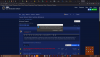
Sorry if this has been mentioned before; I couldn't find one. Anyway, as of the most recent update, OBS does not run at all. Not minimized to the tray, no indicator in Task Manager that I can tell, nothing. But at the same time, when I try to start it, I get a warning that there's already an instance of it running.

I've never seen this bug before and I'm not sure what to do about it. I should also note that I tried to reinstall, with the same results.

Unfortunately, no log file to upload as there's no indicator running. However, there's this:
 

Attachments

  • Untitled-1.png
    Untitled-1.png
    204.1 KB · Views: 22
You can try to launch anyway or kill the running obs-instance at first in the windows task manager...

And you may look for logging files under C:\Users\[yourUser]\AppData\Roaming\obs-studio\logs
 
You can try to launch anyway or kill the running obs-instance at first in the windows task manager...

And you may look for logging files under C:\Users\[yourUser]\AppData\Roaming\obs-studio\logs
I have launched again, no luck. And per the above, there's nothing to launch, because there's nothing showing up in task manager. It's like the OBS icon has become a clicky that does absolutely nothing unless I click it in rapid succession, in which case then I get that "is already running" dialogue...but even then, nothing is running.

EDIT: did find the logs, however; thanks for that. Most recent is attached
 

Attachments

If you have backups from your scene settings aso. you may delete the obs-studio folder from your %appdata%'s folder under your user directory. Then OBS should start empty (like a fresh install) from ground on.
 
Back
Top