LadyovKayos
New Member
I'm having a reproducible OBS rendering problem that started after upgrading my GPU. I have spent several days isolating it and have narrowed it down considerably but have found no solution. Please help me.
System:
This happens with multiple types of animated content, including:
I created a completely new OBS profile with default settings specifically to eliminate my normal profile/settings as a cause.
An empty scene sits at 60/60 FPS with no problem.
A static transparent PNG by itself works normally:
An ordinary opaque MP4 also works normally, although it uses considerably more GPU than I would expect:
Adding a static PNG to the already-failing animated frame does not materially change the behavior; the animated frame has already saturated the 3D renderer by itself.
This seems to rule out transparency itself as the problem, because a static transparent PNG works normally.
It also appears to rule out the GPU simply failing to boost under load, because the GPU is running around 3 GHz while the failure is occurring.
The profiler also shows extremely large graphics-thread stalls, rather than simply normal rendering taking slightly longer.
I also tested OBS running as administrator and the problem still occurred.
I have already tested/retested the following and do not want to repeat them unless the logs indicate a specific reason:
The problem remains reproducible with a clean OBS profile and multiple independent animated sources.
I can provide additional logs or reproduce the issue on request.
This seems to happen most consistently if I have more than ONE animated item on my scene. Like an animated stream overlay and ANY other source that is animated with transparency. But it has also happened with just one singular thing in a brand new scene.
System:
- Windows 11
- RTX 5070 12 GB
- Ryzen 9 5900X
- 32 GB RAM
- Ultrawide 3440×1440 display
- OBS Studio 32.x
- D3D11 renderer
- NVIDIA driver 32.0.16.1088
- HAGS disabled
- OBS canvas: 3440×1440
- Output: 1716×720
- 60 FPS
- NVENC
The actual problem
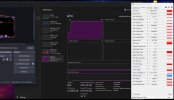
Animated media sources cause OBS's 3D GPU usage to jump to ~97–100%, followed by severe OBS frame/rendering stalls.This happens with multiple types of animated content, including:
- WebM with transparency
- MOV with transparency
- animated browser sources
- other animated media sources
Controlled testing
I created a completely new OBS profile with default settings specifically to eliminate my normal profile/settings as a cause.
An empty scene sits at 60/60 FPS with no problem.
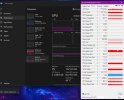
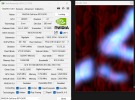
A static transparent PNG by itself works normally:
- OBS: 60/60 FPS
- GPU 3D: ~9%
- GPU-Z GPU load: ~4%
- GPU clock: ~1177 MHz
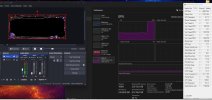
An ordinary opaque MP4 also works normally, although it uses considerably more GPU than I would expect:
- approximately 54% 3D GPU wih OBS not streaming
- 60/60 FPS
- no rendering failure
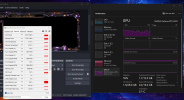
- GPU 3D: ~99–100%
- GPU-Z GPU load: ~97–98%
- OBS: approximately 14 FPS
- GPU clock: approximately 2.98 GHz
- GPU temperature: ~32–33°C
- VRAM usage: only ~2 GB of 12 GB
- Memory Controller Load: ~1%
- Video Engine Load: 0%
Adding a static PNG to the already-failing animated frame does not materially change the behavior; the animated frame has already saturated the 3D renderer by itself.
This seems to rule out transparency itself as the problem, because a static transparent PNG works normally.
It also appears to rule out the GPU simply failing to boost under load, because the GPU is running around 3 GHz while the failure is occurring.
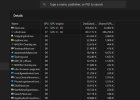
The profiler also shows extremely large graphics-thread stalls, rather than simply normal rendering taking slightly longer.
I also tested OBS running as administrator and the problem still occurred.
I have already tested/retested the following and do not want to repeat them unless the logs indicate a specific reason:
- Fresh/default OBS profile
- OBS running as administrator
- HAGS disabled
- Browser Source hardware acceleration on/off
- OBS media-source hardware decoding on/off
- NVIDIA Control Panel power-management setting for OBS
- NVIDIA driver changes/clean installation
- Reverted NVIDIA driver to prior version
- OBS version changes
- D3D11 / switched to Open GL as a post online had success with this. It DID stop the issue, however it was not viable for streaming. Was unwatchable.
- Preview-related testing
- Multiple different WebM files
- MOV files
- Browser Sources
- Static transparent PNG
- Ordinary opaque MP4
- Different transparency/RGBA approaches
- Re-encoding/recreating the affected media
- Different media sources rather than one specific file
The problem remains reproducible with a clean OBS profile and multiple independent animated sources.
I can provide additional logs or reproduce the issue on request.
This seems to happen most consistently if I have more than ONE animated item on my scene. Like an animated stream overlay and ANY other source that is animated with transparency. But it has also happened with just one singular thing in a brand new scene.