Remember to Talk

Remember to Talk 0.1.0

Great idea, @martin-australia ... I have a macro setup in `Advanced Scene Switcher` that serves a similar function. I would consider switching to this plugin, if we could select the output device for the alert within the plugin's settings instead of the alert being sent exclusively to monitor-only. I realize, of course, that one could select the monitor-only output device within OBS's settings, but if feels like this should live in the plugin interface instead. Your thoughts? Apologies if this functionality exists already and I missed it somehow.
 
Sorry, having trouble getting this to run in Windows, OBS version 32.1.2. I extracted the zipped folder to the obs-studio folder as the instructions state on GitHub and launched OBS. I do not see it in the Menu under Tools or in the Plugins list. I also tried extracting it into the obs-plugins folder and the obs-plugins/64bit.
 
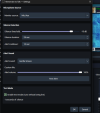
im having issues as well as i use my steel series as a split audio all other plugins work for me but this one it wont test and the name in tools is called menutitle
 

Attachments

  • Screenshot 2026-09-23 165455.png
    Screenshot 2026-09-23 165455.png
    699 bytes · Views: 15
  • Screenshot 2026-09-23 165504.png
    Screenshot 2026-09-23 165504.png
    64.2 KB · Views: 19
even google could not help as i uses steelseries audio split for when i stream with real music cause obs application audio no longer works properly
 
Back
Top