

straannick
New Member
Hello. I try my first streaming with latest OBS, Canon 6D DSLR (1080p) and AverMedia LGP Lite in Windows 8.1. Stream starts without problem, but I see in the frame red circle - the symbol of recording.
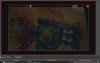
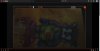
See screenshots for "Transform/Fit to screen" settings. Of course, I can stretch the image so as to remove the black borders, but for the red circle to disappear, I have to lose part of the frame. Can you please suggest how to remove the red circle from the frame and see on stream just real video, no more?
See screenshots for "Transform/Fit to screen" settings. Of course, I can stretch the image so as to remove the black borders, but for the red circle to disappear, I have to lose part of the frame. Can you please suggest how to remove the red circle from the frame and see on stream just real video, no more?

