W will Hopkins New Member Dec 11, 2016 #1 I've been having this problem ever since I upgraded to windows 10 about a year ago. The recording is extremely blurry and pixelated. Log: https://gist.github.com/e54d79c181c30d9be2635ab3a567ccb7. Someone pls help... Attachments Screenshot (4).png 415.3 KB · Views: 42
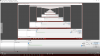
I've been having this problem ever since I upgraded to windows 10 about a year ago. The recording is extremely blurry and pixelated. Log: https://gist.github.com/e54d79c181c30d9be2635ab3a567ccb7. Someone pls help...
X xxAssassin349 Member Dec 11, 2016 #2 Change your downscale filter to Lanczos in the Video tab. You can also increase your bitrate.
EBrito Active Member Dec 11, 2016 #3 No recording in the log. If you scale on Video settings, do not rescale again in Output settings.
Sapiens Forum Moderator Dec 11, 2016 #4 Use the recording quality presets under Settings > Output (Simple output mode) or read http://obsproject.com/forum/resourc...lity-recording-and-multiple-audio-tracks.221/ (Advanced output mode). Select a hardware encoder like QSV or NVENC. With your system there is no reason not to record at 1080p60.
Use the recording quality presets under Settings > Output (Simple output mode) or read http://obsproject.com/forum/resourc...lity-recording-and-multiple-audio-tracks.221/ (Advanced output mode). Select a hardware encoder like QSV or NVENC. With your system there is no reason not to record at 1080p60.