Recording somewhat blurry

Highfive

New Member
Hello

I am trying to get the best recording results with OBS, but there is just a bit missing. I really want the sharpest picture possible, but it doesn't matter what I try, it simply doesn't want to work.
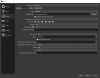
Can somebody help me out? My settings are below and this is an example recording: https://youtu.be/x_NT7eY4rQQ

It just seems weird to me. Can anybody help?
 

Attachments

  • Screenshot_174.png
    Screenshot_174.png
    39 KB · Views: 19
  • Screenshot_175.png
    Screenshot_175.png
    7.3 KB · Views: 18
Youtube will always transcode your video so it looks worse after uploading. Check before you upload - it probably looks fine.
 
I checked both recordings, the YouTube version is close to what it looks. The YouTube version actually looks better. But when I record my browser for example, the finer details get blurry. What do I need to change to fix that?
 
Run as Admin
Make sure your Audio sample rates all match

OBS Sample Rate: 48000 Hz
Speakers (High Definition Audio Device): 192000 Hz (a tad high, 48000 is normal)
Line (RODE AI-1): 96000 Hz

Post another log of a short recording or streaming session, no autoconfig It's hard to see what's going on with all the autoconfig changes
 
Alright, ran OBS as admin and fixed the Audio Sample Rate. I just turned it up because I work with music, but the loss won't be heartbreaking. Here's the next log, this should look clean now.
 

Attachments

Back
Top