Based on what does exist in that log file, I can make these recommendations...
Ensure windows Game Mode is on, and run OBS in administrator mode. This will put OBS on the GPU priority list in windows, allowing it to hopefully get the necessary resources it needs to composite the scene.
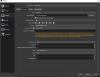
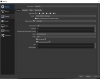
In addition, if you're using NVenc to encode, then ensure you aren't using PsychoVisual Tuning or Look Ahead, and make sure the quality is not set to "Max Quality". All of these options use CUDA, which can cause encoding lag if you're having GPU usage issues.
Something specific with Modern Warfare that I've also found is that the main menu section has a habit of completely tanking non-game performance. I cap my menu framerate to 30fps, and that completely fixes all issues when in menu.
Something else I just noticed -- turn off rescaling in your Output options. You're setting your output resolution to 1280x720 in your video settings, which will send that resolution to the encoder. You are then rescaling this back up to 1920x1080 for no reason for the encoding, which will result in both blurry output, and more work for the encoder, including forcing the encoder to the older Nvenc process (non-new). Don't rescale at the encoder stage unless you have an actual need to do it there (such as needing to record at one resolution, but stream at another).