Hi everyone,
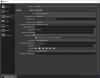
First time poster, so forgive me on my post format. I have a strange issue with my OBS setup. I use the OBS FFmpeg record method to stream from one laptop (overhead) to the public OBS steamer (Live Cam). The settings work on both computers at the moment. However, if I change any setting under the record tab, say the bandwidth from 3300 Kbps to 3200 Kbps and try to record I get the error "can't find the encoder ineo3" on the laptop. At that point, the recording settings are hosed with neither a full uninstall and reinstall or reverting the changed setting fixing the issue. The only way to get it back working is to perform a system restore ( thank goodness!). This issue appeared when I tried to perform a display capture of a web browser playing a video and starting a record session. I confirmed it is not web browser dependent. I have done many system restores to try and narrow down the culprit. In the log files, there are many errors of past images not being found but those sources and scenes are already removed from OBS, so I'm not sure why OBS think they should be there. I have also been able to upgrade to the latest 25.0.1 version and tried it to see if it fixed the recording settings error, but that doesn't help either. The recording works in 25.0.1 but as soon as I change a setting under recording I get the indeo3 error. I know this is a long first post, but I'm at a lost as to what to do next. Any ideas?
First time poster, so forgive me on my post format. I have a strange issue with my OBS setup. I use the OBS FFmpeg record method to stream from one laptop (overhead) to the public OBS steamer (Live Cam). The settings work on both computers at the moment. However, if I change any setting under the record tab, say the bandwidth from 3300 Kbps to 3200 Kbps and try to record I get the error "can't find the encoder ineo3" on the laptop. At that point, the recording settings are hosed with neither a full uninstall and reinstall or reverting the changed setting fixing the issue. The only way to get it back working is to perform a system restore ( thank goodness!). This issue appeared when I tried to perform a display capture of a web browser playing a video and starting a record session. I confirmed it is not web browser dependent. I have done many system restores to try and narrow down the culprit. In the log files, there are many errors of past images not being found but those sources and scenes are already removed from OBS, so I'm not sure why OBS think they should be there. I have also been able to upgrade to the latest 25.0.1 version and tried it to see if it fixed the recording settings error, but that doesn't help either. The recording works in 25.0.1 but as soon as I change a setting under recording I get the indeo3 error. I know this is a long first post, but I'm at a lost as to what to do next. Any ideas?