
Question / Help Recording a Zoom meeting (not the host)

For some reason, I can't record a "live" Zoom. I just get a blank screen (when using the "window capture" feature)
I was able to record a "live Webex" using that same method...
I am really BRAND NEW to OBS
Thank you!
 
Yes. However, I did start to have problems when the host would switch between speaker and sharing video. Found myself having to re-set the window capture (and crop). I wonder if that was because the host had already updated the app on their side. Once I updated on my computer I get nothing. Early on - everything worked perfectly.
 
At the moment, you need 2nd monitor for zoom, use the display capture as source.

1590166276958.png
 
So is this a change? I have been able to capture with one monitor until this latest upgrade. Since the Zoom upgrade the drivers are not appearing when I setup the source. I'm using a Mac Pro
 
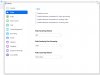
I was able to correct this for my "free account" Mac version. On the newly installed updated, go into settings and select "screen sharing". Then click on "advance". Scroll down to "Screen Capture Mode" and change it to "Legacy". (I also changed several screen settings to ensure I was only picking up the shared screen - and locked my preview.
 
em, try to change the capture option for a try? Or ask the host to give you recording permission from Zoom? I just use my RecMaster to record Zoom meeting on my Win 10 and no problem until now...
 
As a "noob", exactly what settings should I use in order to record a Zoom one-way broadcast on a single laptop? The resulting recording will be burned to DVD. Many thanks for all comments/suggestions!
 
For some reason, I can't record a "live" Zoom. I just get a blank screen (when using the "window capture" feature)
I was able to record a "live Webex" using that same method...
I am really BRAND NEW to OBS
Thank you!
I FOUND THE SOLUTION TO THIS. you need to set the "capture method" on "properties" to "windows graphic capture". Well at least that's what i did. Hopefully it help
 
Sorry, for the late reply. I faced the same issue. But instead of using windows capture (capture specific window), I used Display capture. After using this method, my problem was solved.
 
Did the same as Annihilus. Also, make sure the "eye" icon next to the "display" is open. (Having it 'closed' is basically like telling the program "don't look here", as, this was my issue).
 
Back
Top