Overkillls5090
New Member
Here are my current OBS settings. I have a 5090.
Recording Format: .mkv
Video Encoder: NVIDA NVENC AV1 {AV1 is new but way better than H.264)
Audio Encoder: FFmpeg AAC
Rate Control: CQP
Constant QP: 14 (14 = reference/archival quality, 15 = visually lossless for 99.9% of people)
Keyframe: 0
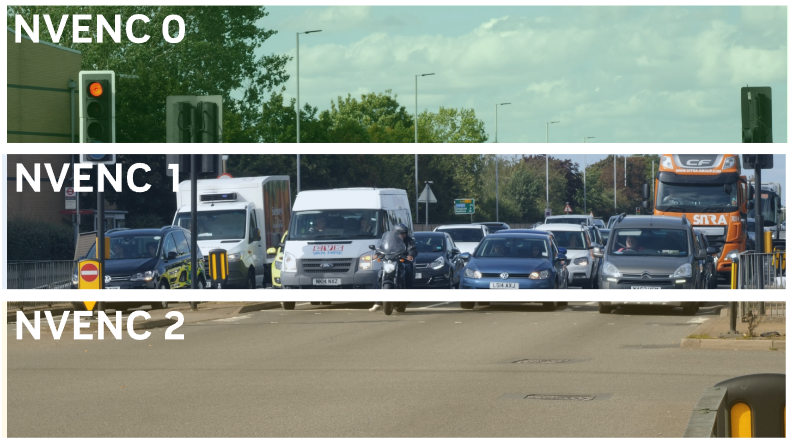
Preset: P7 Slowest (Best Quality)
Tuning: High Quality
Multipass Mode: Two Passes (Quarter Resolution)
Profile: Main (High: lags footage badly but the quality is outstanding)
Look-ahead: checked
Adaptive Quantization: checked
B-Frames: 2
B-Frame as reference: Disabled (Testing: Middle b-frame only)
Split Encode: Auto (Testing: Two-way split)
Advanced Setting:
P010 (10-bit, 4:2:0) - Enables 10-bit HDR pipeline.
Color Space: Rec. 2100 (PQ) - PQ transfer curve for YouTube HDR (preferred over HLG).
Color Range: Full (Matches HDR full dynamic range (common for recording)
SDR Peak Nits: 300 fine, Grok suggests 203 - Tonemaps for SDR viewers.
HDR Peak Nits: 1000
All my videos are still coming up without HDR when I upload to Youtube. I've waited longer than a week for each one but still no HDR.
How do I record in HDR format for Youtube?
Recording Format: .mkv
Video Encoder: NVIDA NVENC AV1 {AV1 is new but way better than H.264)
Audio Encoder: FFmpeg AAC
Rate Control: CQP
Constant QP: 14 (14 = reference/archival quality, 15 = visually lossless for 99.9% of people)
Keyframe: 0
Preset: P7 Slowest (Best Quality)
Tuning: High Quality
Multipass Mode: Two Passes (Quarter Resolution)
Profile: Main (High: lags footage badly but the quality is outstanding)
Look-ahead: checked
Adaptive Quantization: checked
B-Frames: 2
B-Frame as reference: Disabled (Testing: Middle b-frame only)
Split Encode: Auto (Testing: Two-way split)
Advanced Setting:
P010 (10-bit, 4:2:0) - Enables 10-bit HDR pipeline.
Color Space: Rec. 2100 (PQ) - PQ transfer curve for YouTube HDR (preferred over HLG).
Color Range: Full (Matches HDR full dynamic range (common for recording)
SDR Peak Nits: 300 fine, Grok suggests 203 - Tonemaps for SDR viewers.
HDR Peak Nits: 1000
All my videos are still coming up without HDR when I upload to Youtube. I've waited longer than a week for each one but still no HDR.
How do I record in HDR format for Youtube?