

You are using an out of date browser. It may not display this or other websites correctly.
You should upgrade or use an alternative browser.
You should upgrade or use an alternative browser.
Question / Help Problem with installing OBS on windows 7 64 bit
- Thread starter Capnsanity
- Start date
Capnsanity
New Member
Yep i've made sure the folder it says is writable and i've tried disabling anti-virus and neither does anything
Capnsanity
New Member
I use Avast free and i just noticed it keeps going back to read only even after i go into the properties and uncheck it and it seemingly applies it to the folder...So that's probably the issue...Gotta figure out how to stop that
Sounds like you need to disable Avast services before installing OBS Studio.
- Look in the Task Manager | Startup and see if an Avast gets launched on startup. If so, disable it.
- Run services.msc. Stop all Avast services by right clicking on them and changing their running state to Stop
- Reboot computer and install OBS
After OBS is installed, reverse everything you did above to re-enable Avast.
Worth a shot.
- Look in the Task Manager | Startup and see if an Avast gets launched on startup. If so, disable it.
- Run services.msc. Stop all Avast services by right clicking on them and changing their running state to Stop
- Reboot computer and install OBS
After OBS is installed, reverse everything you did above to re-enable Avast.
Worth a shot.
Capnsanity
New Member
Just tried completely uninstalling all my anti-viral software and i'm still getting that same error
Capnsanity
New Member
Okay getting somewhere...
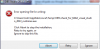
I found the folder and found that file was inside it so i deleted it, and found what's probably the issue, When i try to install OBS it freezes on the first installation screen that says press next to continue, and if i force close it and try again that error pops up...
I found the folder and found that file was inside it so i deleted it, and found what's probably the issue, When i try to install OBS it freezes on the first installation screen that says press next to continue, and if i force close it and try again that error pops up...
Capnsanity
New Member
and i've done it!
Turns out all i had to do was go into the task manager and force quit that checking program while i had the installer open on the frozen screen and it proceeded to the installation screen
Turns out all i had to do was go into the task manager and force quit that checking program while i had the installer open on the frozen screen and it proceeded to the installation screen
That's very odd, that program should never freeze as all it does is check is a DLL is present. If you're able to reproduce it, could you instead choose "Create Dump" on the check_for_64bit_visual_studio_2013_runtimes.exe and then post the .dmp file here? That would help us fix this for good.
Capnsanity
New Member
That's very odd, that program should never freeze as all it does is check is a DLL is present. If you're able to reproduce it, could you instead choose "Create Dump" on the check_for_64bit_visual_studio_2013_runtimes.exe and then post the .dmp file here? That would help us fix this for good.
I just tried and got it to happen again but when i went to the process and tried to create a dump file it said it couldn't because access was denied...