Hello, I'm french so sorry in advance for my bad english.
I'm here because i don't find the solution of my problem, even after seeing more than 40 videos on the subject...
I use the "Elgato 4K60 Pro" as video acquisition to have the screen of my Switch in one of my screen. Everything is going well except than I have a
mismatch between the game sound and the image (on my screen, my OBS screen, and on Twitch), that becomes more pronounced as time goes by, because it seems that the transcribed sound is slightly slower, and each additional minute increases the audio / image difference.
I tried to rely on the solutions available on the Internet : I set my output audio bitrate to 128, I unchecked the timestamp, I set the FPS to 59.94, etc... but the problem persists.
I think I can see this mismatch visually by looking at my audio lines (see my last picture) : my "Office audio" line whose peripheral is "Blue Yeti Speakers" transcribes the sound of the "Elgato 4k60 Pro" line (for which I set "Monitoring only ") with a little delay....
If you have other solutions, you will save my streamer's life !
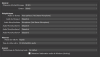
As I said, I use the 4K60 Pro as video acquisition + OBS with the StreamElement addon (OBSLive), and the game is transcribed directly on my second screen. The game sound track is then sent to the "Office audio" track via the "Monitoring" option of the "Advanced Audio Properties" (it also allows me to have the game sound via my headphones connected to my Blue Yeti, otherwise I don't hear it).
Thank you in advance for your answers
Alexis


I'm here because i don't find the solution of my problem, even after seeing more than 40 videos on the subject...
I use the "Elgato 4K60 Pro" as video acquisition to have the screen of my Switch in one of my screen. Everything is going well except than I have a
mismatch between the game sound and the image (on my screen, my OBS screen, and on Twitch), that becomes more pronounced as time goes by, because it seems that the transcribed sound is slightly slower, and each additional minute increases the audio / image difference.
I tried to rely on the solutions available on the Internet : I set my output audio bitrate to 128, I unchecked the timestamp, I set the FPS to 59.94, etc... but the problem persists.
I think I can see this mismatch visually by looking at my audio lines (see my last picture) : my "Office audio" line whose peripheral is "Blue Yeti Speakers" transcribes the sound of the "Elgato 4k60 Pro" line (for which I set "Monitoring only ") with a little delay....
If you have other solutions, you will save my streamer's life !
As I said, I use the 4K60 Pro as video acquisition + OBS with the StreamElement addon (OBSLive), and the game is transcribed directly on my second screen. The game sound track is then sent to the "Office audio" track via the "Monitoring" option of the "Advanced Audio Properties" (it also allows me to have the game sound via my headphones connected to my Blue Yeti, otherwise I don't hear it).
Thank you in advance for your answers
Alexis