Question / Help Only Game is recording... please help.

1tobias

New Member
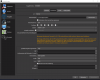
Everytime is start my recording it is only record the ingame sound. My mic sound isnt there. But when i tab out to obs i see the microfone working (The green bar is working) but still no mic sound.
Here are 3 pics of my settings and my log file text:

obs 1.png

obs 2.png

obs 3.png
 

Attachments

If you're seeing the green bar move when you talk, then OBS is picking it up. I see you have 3 audio tracks configured, but you're only recording tracks 1 and 2. You've set track 3 to contain both - I usually recommend 1 to contain both, 2 to contain mic, and 3 to contain desktop audio. Then tick the 3 in Settings -> Output -> Recording.

You should also try opening the file in VLC, then use Audio -> Track to listen to each track individually.
 
Well but still i cant record each track on its own. It is working together but Not with 2 different tracks even when i Start it with both on track 1 and mic on track 2 and desktop on track 3. It will mute one of it, i dont know why. (Still seeing both tracks green Bars moving)
 
Media players always output one single audio track at a time, they never mix them. If you distributed your audio over 3 tracks with OBS, you can switch in your media player to any one of the 3, but never to all of them at the same time. If you want to hear them mixed, you have to load them into an audio postprocessing software, mix them, and re-add the mixed track to your video. Postprocessing software is able to extract all tracks and do editing/mixing.

For quick preview of your raw footage, you can also make OBS mix them. That's how I do it: Track 1 with both game audio and microphone. Track 2 game audio only. Track 3 with mic only. This way, I can quickly hear me and the game on track 1 without extra software. For postprocessing, I ignore track 1 but instead load Track 2+3 into my postprocessing software and mute/filter/duck whatever I want, mix the result and write the result to the resulting video.

 
Back
Top