Only Audio track 1 is recorded with MKV

MaximAvecUnE

New Member
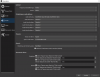
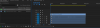
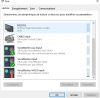
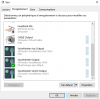
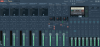
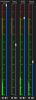
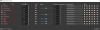
Hello, I'm wanting to get OBS setup to record audio tracks separately for Game sound ( Audio du bureau ), Mic (MICRO), Music (Musique) and discord (Discord). I think I'm having everything setup correctly, I'm having only track 1 on the final recording which is my mic. Every volume meters works and I tried them individualy on track 1 and they all worked fine. The problem is that I can't edit them in Premiere Pro.

Here are some screenshot of my configuration.

Here is the log : https://obsproject.com/logs/m_OQcTcVDc7PwyW1
 

Attachments

  • Advanced audio properties.PNG
    Advanced audio properties.PNG
    49.9 KB · Views: 22
  • Audio.PNG
    Audio.PNG
    47.7 KB · Views: 26
  • Premiere pro.PNG
    Premiere pro.PNG
    24.5 KB · Views: 25
  • Sound playback.PNG
    Sound playback.PNG
    30.5 KB · Views: 25
  • Sound recording.PNG
    Sound recording.PNG
    30.6 KB · Views: 20
  • VMP.PNG
    VMP.PNG
    198.2 KB · Views: 22
  • Volume meters.PNG
    Volume meters.PNG
    18.4 KB · Views: 21
Have you searched this forum on audio tracks and Premier Pro. I seem to recall a discussion months ago about this. I could easily be remembering completely wrong, but iirc correctly, the issue wasn't OBS not recording to MKV correctly, but Premier Pro. The test is to use another tool (Da Vinci Resolve or VLC, or ?) to check the recording for the multiple audio tracks

In which case a better subject line is
- what settings to make in either OBS or Premier Pro to enable Premier Pro to see multiple audio tracks

With a quick Google search of OBS premier Pro audio tracks, I found this with a further link to an adobe support forum post indicating it may be an Premier Pro default setting issue
which references https://community.adobe.com/t5/prem...s-simple-yes-or-no-really/td-p/8909476?page=1
 
Back
Top