Question / Help OBS Zoom problem with World of Tanks and OBS problem with Minecraft!

MultiGamerClub

New Member
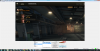
Recently just now its zoomed in.. i got no idea..

And i cant run minecraft / get it to record minecraft because its glitched / some black some white colors.. its bad.

Zoomed without any reason..
dsad.png

Cant anything to make minecraft visible..
OBS 2015-05-01 12-51-32-04.jpg
 

Attachments

  • 468x60.jpg
    468x60.jpg
    16.9 KB · Views: 34
Most likely zoomed because you lowered your base resolution, or set the preview window to be 1:1. Right-click on the preview window and make sure "Scale to fit" is checked. Select the World of Tanks source and press Ctrl+F to fit it to your scene.

You'll have to use game capture for Minecraft, window capture won't work.

 
Most likely zoomed because you lowered your base resolution, or set the preview window to be 1:1. Right-click on the preview window and make sure "Scale to fit" is checked. Select the World of Tanks source and press Ctrl+F to fit it to your scene.

You'll have to use game capture for Minecraft, window capture won't work.
It's already fitted to the scene.. but its not working.

Got the zoom to work out, but the resolution is total cr*p now..

ALSO:
IF i record with game capture it laggs like hell if i MOVE to fast / run..

Should i set my bitrate higher?

My bitrate is 3000/3000 - My internect which is shared trough my family usually always have 9500 bitrate.
 
Back
Top