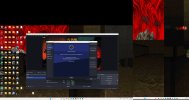
Last week my broadband connection went down for 1 and a half days. When it was fixed, OBS would not reconnect to my Twitch account. I took a screenshot of the error (attached). A window pops up with the message:
"Couldn't load that page! Make sure that the address is correct, and that the site isn't having issues. ERR_CONNECTION_RESET URL: https://auth.obsproject.com/v1/twitch/redirect"
I have tried:
1) logging out of Twitch and back in again, combined with
2) restarting my computer and restarting my computer's connection to the network
3) Getting a new Stream Key from Twitch and inputting it instead of using the 'Connect Account' button.
4) Upgrading my OBS to the latest version
Does anyone know why this bug would occur and be so persistent?
Do I need to uninstall and reinstall OBS?
If I do so, and wish to keep various settings saved, which files should I save towards the reinstall of OBS?
Which files could include the corrupted information that is possibly preventing the reconnect to my Twitch?
I would love to stream again and really need some help please.
"Couldn't load that page! Make sure that the address is correct, and that the site isn't having issues. ERR_CONNECTION_RESET URL: https://auth.obsproject.com/v1/twitch/redirect"
I have tried:
1) logging out of Twitch and back in again, combined with
2) restarting my computer and restarting my computer's connection to the network
3) Getting a new Stream Key from Twitch and inputting it instead of using the 'Connect Account' button.
4) Upgrading my OBS to the latest version
Does anyone know why this bug would occur and be so persistent?
Do I need to uninstall and reinstall OBS?
If I do so, and wish to keep various settings saved, which files should I save towards the reinstall of OBS?
Which files could include the corrupted information that is possibly preventing the reconnect to my Twitch?
I would love to stream again and really need some help please.