Question / Help Obs While Dropping 0 Frames Will Drop Fps

mrtubby200

New Member
Over this past month while dropping 0 frames obs will only stream in 16-25 frames when it should be 60, I am only using 60ish% of my cpu and i can not figure out why this is going on https://gist.github.com/4ecc5f18b9f50203bc2f317dcc6065bc restarting it will fix the problem but it's annoying having to start and stop streams. Sometimes it won't happen, other Times it'll happen an hour or two into the stream.
 
Frame dropping is a connection issue which is not related to fps. Your issue is likely to be an overloaded GPU. Running a game without vertical sync or a frame rate limiter will frequently cause performance issues with OBS because your GPU will be maxed out. Enable vsync or set a reasonable frame rate limit that your GPU can handle without hitting 100% usage. If that's not enough you may also need to turn down some of the video quality options in the game.
 
^ it's an almost 2k custom p.c build and I'm only running games at 60 fps. I streamed this game for the last 7 months and I was having no issue before. I promise you I am not at an unlimited frame setting it's only at 60fps. as for game settings, everything is on med post processing is on low the only epic thing is View Distance.
 
then its your connection
It's can't be because obs is showing 0 dropped frames which is what is making this so weird. it's has a clean connection and under dropped frames its shows 0 but next to the fps tab it will hang around 14-25 frames going up and down. Sounds like my 1060gpu may be broken if this is the case. it should be able to do 60 frames of fortnite while streaming. Am I missing something?
 
I have made threads about this exact same issue (dropped frames with no dropped frames) and people don’t reply. I have an 8700k 1060 pc used as a dedicated stream rig, and this happens still. The cpu can be a top 35 percent and this still happens, so it’s not the cpu. I’m not running a game on the PC, so it’s not the GPU being maxed. I have 100/100 up/down speed, so it’s not my fiber optic internet. I am streaming at 6000 bitrate so it’s not that. I am streaming at 59.94 (what my captured devices actually are) so it’s not “frame conversion”. It visibly stutters/drops frames on regular intervals (like every 8 seconds). It’s either OBS or Twitch. When I record at the same settings, the recorded clip looks perfect.
 
I have made threads about this exact same issue (dropped frames with no dropped frames) and people don’t reply. I have an 8700k 1060 pc used as a dedicated stream rig, and this happens still. The cpu can be a top 35 percent and this still happens, so it’s not the cpu. I’m not running a game on the PC, so it’s not the GPU being maxed. I have 100/100 up/down speed, so it’s not my fiber optic internet. I am streaming at 6000 bitrate so it’s not that. I am streaming at 59.94 (what my captured devices actually are) so it’s not “frame conversion”. It visibly stutters/drops frames on regular intervals (like every 8 seconds). It’s either OBS or Twitch. When I record at the same settings, the recorded clip looks perfect.
THIS THIS THIS i EVEN HAVE 100/100 FIBER AS WELL.
 
both have fiber connection and same problems ...
Twitch lets you monitor your stream bandwidth, and it is perfect, so it is not my good internet connection. Is that what this forum is about, just trying to deflect the problems as being caused by the user? I literally have the perfect/ideal scenario, and still have issues.its not my internet or hardware being too weak or maxed.
 
I had similar issues only with Arma3 i cant get a stable output from OBS
in the end disable Steam Overlay fixed my problem (MSI Afterburner, Fraps, ... all these can cause similar)

Elgato a USB device?
 

Attachments

  • tab.JPG
    tab.JPG
    63.7 KB · Views: 85
  • sped test.JPG
    sped test.JPG
    29.4 KB · Views: 80
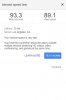
Sites like speedtest.net and such do NOT test a connection in a way that is comparable to streaming.

We need more complete session logs, ones that include recording or streaming attempts, to be able to troubleshoot further.
 
Video card overload
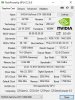
can you go into a little more detail of what this is because looking at my GPU it never went over 70% and if I just restart obs it fixes the issue? I get some random frame drop in fortune as well That's probably what triggers the overload, but again its only fortnight at 60 frames and i have 1060 I made my p.c for streaming it should be able to do both with no issue and restarting that fixes the issue, but the thing on the syestems trey never hits over 70% the cpu is only about 40%. do I need to RMA my GPU?
 
so i think i may have found the issue i stream pc games and Nintendo games and i may have left my capture card on in the back round while no longer streaming on my wii u and streaming fortnite will update to see if the issue comes back after the fix. I was also told wave out and direct audio sound on the elgato can cause issues
 
Back
Top