Good morning,
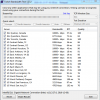
Both OBS & StreamLabs OBS present me with the same issue. When trying to stream, I have the game region captured & preview is working, but any time I try to stream, bandwidth usage remains at zero, from start to finish. I have left this running for up to 10 minutes, with my Twitch page remaining 'offline' after the briefest flash of a play triangle in the Twitch website window.
Log attached. am I missing a required .dll file? If so, what's a safe link to download from.
Discord streams without issue, to others on the same server. My Radeon card (5700 XT) will stream from it's built-in software, but it does not work well. I think it's AMD's implementation. Give me a 'network bandwidth may be insufficient' error, which I know is wrong.
OBS is connected to my twitch. Does a key/server combo work better?
I have a max theoretical upload of 20Mbps, with results consistently in the 16-17Mbps range. DL of 60+Mbps.
The log file ending in 43-00 is from this morning and much shorter/smaller.
It even counts all the correctly processed / dropped (9) frames.
Any help is appreciated.
Both OBS & StreamLabs OBS present me with the same issue. When trying to stream, I have the game region captured & preview is working, but any time I try to stream, bandwidth usage remains at zero, from start to finish. I have left this running for up to 10 minutes, with my Twitch page remaining 'offline' after the briefest flash of a play triangle in the Twitch website window.
Log attached. am I missing a required .dll file? If so, what's a safe link to download from.
Discord streams without issue, to others on the same server. My Radeon card (5700 XT) will stream from it's built-in software, but it does not work well. I think it's AMD's implementation. Give me a 'network bandwidth may be insufficient' error, which I know is wrong.
OBS is connected to my twitch. Does a key/server combo work better?
I have a max theoretical upload of 20Mbps, with results consistently in the 16-17Mbps range. DL of 60+Mbps.
The log file ending in 43-00 is from this morning and much shorter/smaller.
It even counts all the correctly processed / dropped (9) frames.
Any help is appreciated.