

Hello,
Before everything else, sorry if the answer is somewhere (probably), but after many searches, i can't find something adequat for my situation. It's probably a classic.
Setup :
- OBS Studio
- Windows 10
- Avermedia LGX
- PS4
What i have actually :
I've done a "classic" settings, the kind we can find almost everywhere on YT/Forums etc..
I have the Avermedia LGX in "Source" on OBS. Sounds Output : Audio Output Desktop (WaveOut), in order to be able to LISTEN the game (because if i don't do that, i have no sounds for me while streaming, but that allow the Avermedia to get the sounds through OBS and i'm able to modulate the level of the game sounds, logic I know and i get it ^^).
If i start playing a song, getting people on Discord, or even some sounds/notification, whatever, as i reduce the sounds of Windows, because the game is VERY loud, everything else is lowered too, and it's REALLY messy to deal with and adjust everything.
Actually, it's like an all-or-nothing, quite problematic for me.
What i want :
To be able to "listen" the PS4/Avermedia without having the OBS active (so... through Windows i suppose?) OR
I want to be able to handle the Avermedia LGX sounds level through OBS (or even through Windows, i really don't care, as long a si can modulate the other sources manualy), to avoid to have the sound set at MAX level through Windows.
Adding the audio tab on OBS too, but nothing too fancy i suppose
And sorry for the grammar & stuff :)
SOLVED :
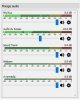
It was stupid and easy... : MONITORING the Avermedia LGX by OBS.
Before everything else, sorry if the answer is somewhere (probably), but after many searches, i can't find something adequat for my situation. It's probably a classic.
Setup :
- OBS Studio
- Windows 10
- Avermedia LGX
- PS4
What i have actually :
I've done a "classic" settings, the kind we can find almost everywhere on YT/Forums etc..
I have the Avermedia LGX in "Source" on OBS. Sounds Output : Audio Output Desktop (WaveOut), in order to be able to LISTEN the game (because if i don't do that, i have no sounds for me while streaming, but that allow the Avermedia to get the sounds through OBS and i'm able to modulate the level of the game sounds, logic I know and i get it ^^).
If i start playing a song, getting people on Discord, or even some sounds/notification, whatever, as i reduce the sounds of Windows, because the game is VERY loud, everything else is lowered too, and it's REALLY messy to deal with and adjust everything.
Actually, it's like an all-or-nothing, quite problematic for me.
What i want :
To be able to "listen" the PS4/Avermedia without having the OBS active (so... through Windows i suppose?) OR
I want to be able to handle the Avermedia LGX sounds level through OBS (or even through Windows, i really don't care, as long a si can modulate the other sources manualy), to avoid to have the sound set at MAX level through Windows.
Adding the audio tab on OBS too, but nothing too fancy i suppose
And sorry for the grammar & stuff :)
SOLVED :
It was stupid and easy... : MONITORING the Avermedia LGX by OBS.
Attachments
Last edited: