O obsuser1 New Member Dec 9, 2019 #1 OBS Studio Source Screen shows a black screen. Doesn't capture the laptop screen. OS Windows 10 Pro, version 1903 Please help. Thanks in advance. Attachments OBS Log 12 09 2019.txt OBS Log 12 09 2019.txt 4.3 KB · Views: 29
OBS Studio Source Screen shows a black screen. Doesn't capture the laptop screen. OS Windows 10 Pro, version 1903 Please help. Thanks in advance.
R R1CH Forum Admin Developer Dec 9, 2019 #2 17:19:18.798: Loading up D3D11 on adapter NVIDIA GeForce GTX 1650 (0) If you want to capture your screen you have to run OBS on your iGPU. https://obsproject.com/forum/threads/laptop-black-screen-when-capturing-read-here-first.5965/
17:19:18.798: Loading up D3D11 on adapter NVIDIA GeForce GTX 1650 (0) If you want to capture your screen you have to run OBS on your iGPU. https://obsproject.com/forum/threads/laptop-black-screen-when-capturing-read-here-first.5965/
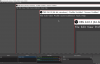
O obsuser1 New Member Dec 10, 2019 #3 Hi R1CH I did the required graphic setting , still not able to see laptop screen display. Pls advise. Attached the screenshot. Attachments OBS dispaly does not show laptop screen.PNG 515.3 KB · Views: 44
Hi R1CH I did the required graphic setting , still not able to see laptop screen display. Pls advise. Attached the screenshot.