
OBS Studio no longer working

TheBillABCTV

New Member
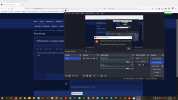
I have been using OBS Studio for a long while. i have windows 10. It asked me to download the latest version and since then i can no longer When i click on start recording it say, I have done screenshot photo. i don't know anything about video drivers. Can anyone please help me have this fixed? Not sure what a video driver is and do i need to buy a video driver? I will also speak with Andrew from servant computers hopefully he can help me also on this.
 

Attachments

  • OBS Studios.png
    OBS Studios.png
    244.7 KB · Views: 116
go to display settings graphics add obs64.exe or whatever obs you have to the programs that windows recognizes in graphics settings. select use the high performance nvidia processor. you shouldnt have to do that. obs should be able to do both. if that doesn't work. you may have to use display driver uninstaller and either reinstall the driver for your laptop or install the driver for your graphics card from nvidia.
 
Thank you everyone. next week andrew will come and get that done. I will google search new nvidia driver and see if i can fix it myself in the morning Australian Eastern Standard time. If i can fix it i will post here let people know or when Andrew fixes it i will let people know when it is fixed for me.
 
Anyone knows what changes were made to NVENC encoder? My laptop's latest drivers are from 2019 and I don't think I can update them anymore. Everything was working great till today's update.
 
Back
Top