OBS resizing recordings to a size I didn't set.

verseley

New Member
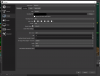
Basically, OBS is constantly resizing my videos to 1920x1001, while I'm trying to recording them in 1280x720. Every time I hit the Start Recording button, it resizes everything to 1920x1001. I don't know what to do. See the images below for evidence as to why I don't think I did anything wrong. I think the issue has something to do with the first image, I'm not really sure. Please don't yell at me, I've never tried to configure these settings.

Log file: https://obsproject.com/logs/MmPuWuHJlFKbvMVd

Images:

Screenshot 2021-07-07 232114.png


Screenshot 2021-07-07 231946.png
 

Attachments

  • Screenshot 2021-07-07 095628.png
    Screenshot 2021-07-07 095628.png
    17.4 KB · Views: 24
  • Screenshot 2021-07-07 231946.png
    Screenshot 2021-07-07 231946.png
    100.8 KB · Views: 21
  • 1625714508615.png
    1625714508615.png
    110.9 KB · Views: 23
The base/canvas resolution should ever fit your content. So leave it at 1920x1080 and set just the output/scaled resolution to your wished target 1280x720. Take out the checkbox "Rescale..." at encoder level.

We can't see what videos you mean. Whenever you put some into a scene, mark it and go for Ctrl+F, which should fit the videos source canvas to fit into your base resolution.
 
Back
Top