Stonehaven
New Member
Hi,
I reinstalled windows 10 pro 64bit a few months ago, after i reinstalled OBS it wont open, so i don't have a log file to upload.
I have tried setting it to run as administrator, and reinstalling to no avail.
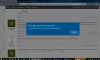
When i try to open it i get that nice blue windows ribbon popup alert that says;
"This app can't run on your PC - To find a version for your PC, check with the software publisher (Close 'button') ".
* I had to reinstall windows because during a windows update, the last big one, it hung up and I had to do a hard reset which corrupted the OS and wasn't working properly.
Any help is much appreciated :)
I reinstalled windows 10 pro 64bit a few months ago, after i reinstalled OBS it wont open, so i don't have a log file to upload.
I have tried setting it to run as administrator, and reinstalling to no avail.
When i try to open it i get that nice blue windows ribbon popup alert that says;
"This app can't run on your PC - To find a version for your PC, check with the software publisher (Close 'button') ".
* I had to reinstall windows because during a windows update, the last big one, it hung up and I had to do a hard reset which corrupted the OS and wasn't working properly.
Any help is much appreciated :)