

You are using an out of date browser. It may not display this or other websites correctly.
You should upgrade or use an alternative browser.
You should upgrade or use an alternative browser.
OBS Not seeing iPad
- Thread starter TrentD
- Start date


qhobbes
Active Member
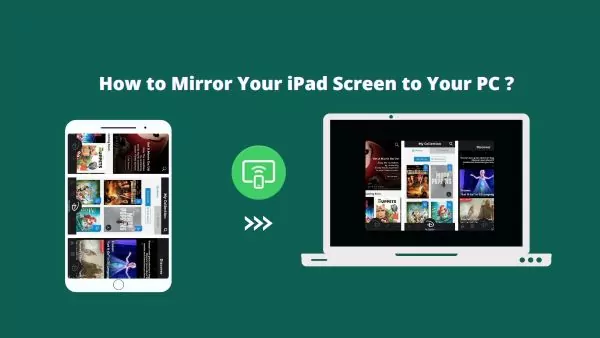
[5 Effective Ways] How to Mirror Your iPad Screen to PC?
If you are looking for software that can mirror the screen of iPad to PC, AirDroid Cast is your best choice. It's a leading screen mirroring app.
 www.airdroid.com
RustyRaven
New Member
I have the same problem. Popular YouTuber channel Howfinity details his connection with no issues (to a mac). https://youtu.be/OlIn52e-K0I?si=QksWwdZE9YLHTHRn. I see my iPad in the Windows 11 file manager, but when I select "Video Capture Device" it connects to my built-in camera on my LG laptop. My iPad did ask if I wanted to trust the computer. (Yes) And I did a full reboot after installing OBS.
Lawrence_SoCal
Active Member
Did you adjust Operating System permissions to grant OBS Studio access to the iPad camera?
As I always recommend, start at Operating System level and get all inputs working there first, then (and only then) move onto OBS Studio. Note.. this means OBS Studio NOT running (not just in background... and yes, I say his for specific reasons regarding OBS Studio's default locking of certain Sources)
Use Windows Recorder, or similar, and get iPad camera working there (or other web conference s/w)... then advance to OBS Studio
As I always recommend, start at Operating System level and get all inputs working there first, then (and only then) move onto OBS Studio. Note.. this means OBS Studio NOT running (not just in background... and yes, I say his for specific reasons regarding OBS Studio's default locking of certain Sources)
Use Windows Recorder, or similar, and get iPad camera working there (or other web conference s/w)... then advance to OBS Studio
TougaTouxen
New Member
You are clearly a Windows user and probably don't even have an iPad... And yes, I say that for specific reasons your hints don' apply to iOS / iPadOS.Did you adjust Operating System permissions to grant OBS Studio access to the iPad camera?
As I always recommend, start at Operating System level and get all inputs working there first, then (and only then) move onto OBS Studio. Note.. this means OBS Studio NOT running (not just in background... and yes, I say his for specific reasons regarding OBS Studio's default locking of certain Sources)
Use Windows Recorder, or similar, and get iPad camera working there (or other web conference s/w)... then advance to OBS Studio
Lawrence_SoCal
Active Member
Yes, absolutely a Windows user, and MCSE from almost 30 years ago. And I have multiple iPad Pro's
And why even reply to such an old thread...
And this is a Windows forum. And my comment was spot on, which tells me you don't understand even the basics of the technology involved. Have I ever tried to get iOS device camera working as webcam inside Windows... no, Apple walled garden, wasn't practical previously and Apple didn't enable such with their drivers/iOS, and Apple's device driver situation with MS Windows is a mess (iTunes deprecated/effectively abandoned, without a proper replacement that isn't either a security nightmare or appear written by interns)... totally not worth the hassle for me personally.
So, one typically must run a 3rd party app (like NDI) on an iOS device to output its camera video visible to the Windows operating system. And knowing WiFi isn't reliable, I'd only try that using a iOS (lightning or USB-C) Ethernet adapter (which I have)
And why even reply to such an old thread...
And this is a Windows forum. And my comment was spot on, which tells me you don't understand even the basics of the technology involved. Have I ever tried to get iOS device camera working as webcam inside Windows... no, Apple walled garden, wasn't practical previously and Apple didn't enable such with their drivers/iOS, and Apple's device driver situation with MS Windows is a mess (iTunes deprecated/effectively abandoned, without a proper replacement that isn't either a security nightmare or appear written by interns)... totally not worth the hassle for me personally.
So, one typically must run a 3rd party app (like NDI) on an iOS device to output its camera video visible to the Windows operating system. And knowing WiFi isn't reliable, I'd only try that using a iOS (lightning or USB-C) Ethernet adapter (which I have)
You are clearly a Windows user and probably don't even have an iPad... And yes, I say that for specific reasons your hints don' apply to iOS / iPadOS.
same problem , did you get it resolved?I have the same problem. Popular YouTuber channel Howfinity details his connection with no issues (to a mac). https://youtu.be/OlIn52e-K0I?si=QksWwdZE9YLHTHRn. I see my iPad in the Windows 11 file manager, but when I select "Video Capture Device" it connects to my built-in camera on my LG laptop. My iPad did ask if I wanted to trust the computer. (Yes) And I did a full reboot after installing OBS.