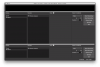
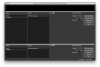
Question / Help OBS NOT LOADING

every time I open OBS it comes up with this. I have deleted and re-installed but still no fix.

can anyone help?
 

Attachments

  • Screen Shot 2017-01-18 at 19.32.15.png
    Screen Shot 2017-01-18 at 19.32.15.png
    343 KB · Views: 91
  • Screen Shot 2017-01-18 at 19.32.15.png
    Screen Shot 2017-01-18 at 19.32.15.png
    343 KB · Views: 81
  • Screen Shot 2017-01-18 at 19.32.15.png
    Screen Shot 2017-01-18 at 19.32.15.png
    343 KB · Views: 73
If I remember right, there were some changes in Sierra that cause this to happen, but it's unclear right now what those are. Can you provide a log file? Just in case anything jumps out there.
 
Yeah, nothing in the log jumps out. Let me see if I can dig up any more info. Macs aren't my strongest area of expertise.
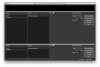
 
Try resizing the window, and see if that makes it start displaying correctly. This is a bug, yes, but hopefully that will get you working in the meantime.
 
We have not been able to replicate this specific issue on OSX. As far as I know, the window can show up like this, but if it's locking up and becoming unresponsive, the issue lies elsewhere. I don't have OSX myself to test, and the folks who have OSX haven't been able to replicate.
 
I have the same Identical problem. I am on El Capitan (10.11.6) and not Sierra. No amount of deleting and re-installing (I made sure to delete the obs_studio app support file as well) will fix the problem. It consistently loads with the weird looking screen and is completely un-responsive. The program crashes completely if the preferences are visited. This pretty much killed my being able to use OBS. I know it's a free program but I would sure love to continue using it. Thanks!
 
Ok so I did an experiment yesterday. I went ahead and backed up my computer and upgraded to Sierra (10.12) and after a fresh instal of OBS it seems to be working properly at this point. Now my version on El Capitan worked fine for a while then experienced the permacrash after a few hours, so we will see how long this instal works. I will update if this version experiences the same problem (somehow I doubt it will, I'm sure it was a OSX version issue). Thanks again
 
Whenever that wrong display issue happens, I just resize the preview window (not the entire program) and it clears it up.
 
Back
Top