Obs Mic Problems

have you turned up the volume on the audio mixer

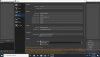
adding a screenshot of your OBS screen and the settings would help
 
s
 

Attachments

  • Screenshot (751).png
    Screenshot (751).png
    74.4 KB · Views: 26
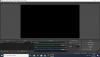
  • Screenshot (752).png
    Screenshot (752).png
    117.7 KB · Views: 26
have you always had this problem or has it just started after changing something

you can try disabling the mic from the settings and adding an audio input capture in the source
 
Hi,
i knew this problem. There can be different ways to fix it. First you should check OBS microfon settings and main microfon settings on your laptop. its can happend, that your pc try to use another (sometimes not existing) microfone. Another komments already described it corectly. But sometimes its really can be up to your microfone. May be it is just to old and cant be connected correctly. If you need another one, i advice you to inform you with this Post about microfones. It is in german, but you can use a site translation. It is really interssting. I hope it will help you. GL
 
Ok so i did that and its allowed but what i did notice is that when i open OBS it says "Currently In Use" even though it shows taht its not recieving the voice on the microphone
"check If OBS has permission, go to Windows Settings > Privacy > Microphone and make sure OBS has permission."
 
Back
Top