


You are using an out of date browser. It may not display this or other websites correctly.
You should upgrade or use an alternative browser.
You should upgrade or use an alternative browser.
Question / Help obs keeps crashing
- Thread starter masahac95
- Start date
WilliamBarrows
Member
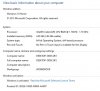
I looked at the crash log and did some googling. Google says the .dll that's crashing has to do with graphics drivers of some sort. Are your graphics drivers up to date? Also, what are your specs outside of your CPU? (RAM, GPU, etc...)
BTW, are you running OBS 64-bit? Cus you should be unless your OS is 32-bit, which is pretty rare these days.
BTW, are you running OBS 64-bit? Cus you should be unless your OS is 32-bit, which is pretty rare these days.
WilliamBarrows
Member
Hmm... Windows 10 has been causing people issues for a while, maybe that's the reason for your problems. Don't worry though, it'll pass with time. It's just because Windows 10 is still new.
You can check if your OBS is 64-bit by looking at the title of the OBS window. If it says "64bit" at the end then it's 64 bit.
You can check if your OBS is 64-bit by looking at the title of the OBS window. If it says "64bit" at the end then it's 64 bit.
WilliamBarrows
Member
Then it's just 32bit, the 64bit version would have a title like this: Profile: PROFILENAME - Scenes: SCENENAME - Open Broadcaster Software v0.655b - 64bit
You can find the 64bit OBS under "C:\Program Files\OBS\OBS.exe" usually. (Although it's in a different place for some people, usually because they installed an older version first, then updated it.)
You can find the 64bit OBS under "C:\Program Files\OBS\OBS.exe" usually. (Although it's in a different place for some people, usually because they installed an older version first, then updated it.)
WilliamBarrows
Member
Well, that narrows things down a bit. Have you updated your graphics drivers yet? Also, what graphics card are you using?
BTW, that CPU of yours is pretty low-end, so you won't be able to stream in very high quality, especially if your game is running on the same machine.
BTW, that CPU of yours is pretty low-end, so you won't be able to stream in very high quality, especially if your game is running on the same machine.
WilliamBarrows
Member
Ahh, so an integrated graphics card. It's very well possible that it simply can't support OBS. The DLL that is crashing is apparently part of the integrated graphics drivers. I'm not really sure how to update those (integrated graphics cards are weird).
It's possible that dll is broken, but trying to fix it might make things even worse. And I don't know enough about that .dll to feel 100% confident in assisting you with an attempted fix. The only thing I can think of is to go to "c:\windows\system32", find "igd10umd32.dll", make a backup copy of it to somewhere safe, then downloading the dll here (click on "download zip-file", DO NOT use any of the other options) and copying that into "c:\windows\system32". (You have to unzip it first ofc, then copy just the .dll, not the README) Also, if it asks you to pick a version, take the newest one (highest number).
You can then restart your machine and try again with 32bit and 64bit OBS (this might only fix one of them). If nothing has changed, remove the new .dll you downloaded from "c:\windows\system32" and put back the old one (this is why you need to make a backup copy). Once again: This may make things worse, only do it if you feel confident you won't accidentally overwrite the wrong file!
BTW, is the crash report different in 64bit OBS?
It's possible that dll is broken, but trying to fix it might make things even worse. And I don't know enough about that .dll to feel 100% confident in assisting you with an attempted fix. The only thing I can think of is to go to "c:\windows\system32", find "igd10umd32.dll", make a backup copy of it to somewhere safe, then downloading the dll here (click on "download zip-file", DO NOT use any of the other options) and copying that into "c:\windows\system32". (You have to unzip it first ofc, then copy just the .dll, not the README) Also, if it asks you to pick a version, take the newest one (highest number).
You can then restart your machine and try again with 32bit and 64bit OBS (this might only fix one of them). If nothing has changed, remove the new .dll you downloaded from "c:\windows\system32" and put back the old one (this is why you need to make a backup copy). Once again: This may make things worse, only do it if you feel confident you won't accidentally overwrite the wrong file!
BTW, is the crash report different in 64bit OBS?
WilliamBarrows
Member
Yup, this time it's the 64bit version of the same DLL file. It's definitely the DLL of your graphics card that has some sort of problem with OBS. At least we know for sure what file is causing the crash.
Did you experience similar crashes and/or graphical issues with other software on your computer?
Did you experience similar crashes and/or graphical issues with other software on your computer?
WilliamBarrows
Member
Under "Video" in your OBS settings, what is selected in "Video Adapter"? Does it only have one option in the dropdown?
WilliamBarrows
Member
Wait so three times the same?
WilliamBarrows
Member
I think I know what your problem is... well yet another part of it. It's the same issue I had a while back on my laptop. Basically, you have a good standalone GPU (the NVIDIA one), and a really bad onboard GPU (that sits ontop of the processor) that's apparently messing with things. In my laptop this made things slow for years until I finally figured out what was going on and fixed it after a ton of trial and error.
I think the best course of action would be to disable the onboard graphics card completely and run everything over the standalone one. If your screen is currently plugged in to the onboard one you'd have to plug it into the other one first of course. After your system runs entirely on the standalone graphics card, the onboard'd dll should no longer crash OBS.
It's still a little mysterious to see the NVIDIA one listed trice in your OBS, do you have multiple screens?
I think the best course of action would be to disable the onboard graphics card completely and run everything over the standalone one. If your screen is currently plugged in to the onboard one you'd have to plug it into the other one first of course. After your system runs entirely on the standalone graphics card, the onboard'd dll should no longer crash OBS.
It's still a little mysterious to see the NVIDIA one listed trice in your OBS, do you have multiple screens?