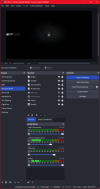
When I have enhanced broadcast enabled I find my OBS fps in the bottom right corner drops (see image attached), this happen when I load a battle in a game, it is fine on the game main menu. If I try to do anything during the battle OBS lags, trying to get the task manager up lags. It's as if my CPU/Ram is maxed out with being used.
I've checked a couple of things, windows game bar is off, hardware-accelerated GPU scheduling is off, driver and up to date ect.
This is running on a new system, I did not have this problem on my old system. I have uninstalled OBS fully, removed all setting incase there is a conflict there.
My system should easily handle this:
CPU: AMD Ryzen 7 9800X3D
Ram: 64Gb @ 6800Mhz
GPU: Asus RTX 3080 FTW3 10Gb
Windows 11 Pro
My only through here which I've not tried yet is the CPU dose have an intergrated GPU. Could this be causing my problem? I know some people are going to say turn off enhanced broadcast but I need it to beable to stream at 1440p, so this is not an option, I also find this option make the game run smoother with it on. This was running fine on my old system.
I've checked a couple of things, windows game bar is off, hardware-accelerated GPU scheduling is off, driver and up to date ect.
This is running on a new system, I did not have this problem on my old system. I have uninstalled OBS fully, removed all setting incase there is a conflict there.
My system should easily handle this:
CPU: AMD Ryzen 7 9800X3D
Ram: 64Gb @ 6800Mhz
GPU: Asus RTX 3080 FTW3 10Gb
Windows 11 Pro
My only through here which I've not tried yet is the CPU dose have an intergrated GPU. Could this be causing my problem? I know some people are going to say turn off enhanced broadcast but I need it to beable to stream at 1440p, so this is not an option, I also find this option make the game run smoother with it on. This was running fine on my old system.