"OBS Encountered an Issue"

Hox13

New Member
I've recently been getting said issue and my OBS stops whether I'm streaming (Twitch) or just recording content for YouTube. Generally I can walk my way through most issues but I feel kind of lost on this one. If anyone can lend a hand I would be most appreciative. I will include the last log report from what happened in that session. Will attach the last crash report which happened on my Twitch last stream and the latest log file which was the next day while testing a recording for some YouTube content. The log file is a very brief record session before I encountered the issue, literally 5 minutes then it happened. I'm just at a loss for both issues. I don't think the 2 are related unless there is one common thing I'm missing. Thanks in advance.

Log File - https://obsproject.com/logs/d2vsz2uBHOtLeNTz

Crash Report - https://obsproject.com/logs/oIvvRRoie2AbMzUS
 
1. The new Windows 10 Hardware-accelerated GPU scheduling ("HAGS") added with version 2004 is currently known to cause performance and capture issues with OBS, games and overlay tools. It's a new and experimental feature and we recommend disabling it via these instructions.
2. Display and Game Capture Sources interfere with each other. Never put them in the same scene (In-Game).
3. Try turning off the NVIDIA denoiser.
4. Your log contains no recording or streaming session. Results of this log analysis are limited. Please post a link to a clean log file.
To make a clean log file, please follow these steps:

1) Restart OBS.
2) Start your stream/recording for at least 30 seconds. Make sure you replicate any issues as best you can, which means having any games/apps open and captured, etc.
3) Stop your stream/recording.
4) Select Help > Log Files > Upload Current Log File. Send that link here.
 
1. The new Windows 10 Hardware-accelerated GPU scheduling ("HAGS") added with version 2004 is currently known to cause performance and capture issues with OBS, games and overlay tools. It's a new and experimental feature and we recommend disabling it via these instructions.
2. Display and Game Capture Sources interfere with each other. Never put them in the same scene (In-Game).
3. Try turning off the NVIDIA denoiser.
4. Your log contains no recording or streaming session. Results of this log analysis are limited. Please post a link to a clean log file.
To make a clean log file, please follow these steps:

1) Restart OBS.
2) Start your stream/recording for at least 30 seconds. Make sure you replicate any issues as best you can, which means having any games/apps open and captured, etc.
3) Stop your stream/recording.
4) Select Help > Log Files > Upload Current Log File. Send that link here.

Yes I read that same info. Again there are 2 issues. The log file and Crash report are 2 separate cases. Please don't stop at one because you read half of the other. It was very late and I'm currently trying to redo the recording now and see if it happens again.
 
1. The new Windows 10 Hardware-accelerated GPU scheduling ("HAGS") added with version 2004 is currently known to cause performance and capture issues with OBS, games and overlay tools. It's a new and experimental feature and we recommend disabling it via these instructions.
2. Display and Game Capture Sources interfere with each other. Never put them in the same scene (In-Game).
3. Try turning off the NVIDIA denoiser.
4. Your log contains no recording or streaming session. Results of this log analysis are limited. Please post a link to a clean log file.
To make a clean log file, please follow these steps:

1) Restart OBS.
2) Start your stream/recording for at least 30 seconds. Make sure you replicate any issues as best you can, which means having any games/apps open and captured, etc.
3) Stop your stream/recording.
4) Select Help > Log Files > Upload Current Log File. Send that link here.

https://obsproject.com/logs/SS1a-PqZcV8Q-VOr New recording this morning.

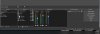
There is no Game Cap/Display Capture issue. I only have Game Capture. Haven't used both since building this new PC and rebuilding OBS months ago. Screenshot included.

Frame Rate is 60 so the issue of non-standard frame rate of other than 30 or 60 makes no sense, it is 60.

GPU never encountered issues, not 1 skipped frame, nothing until it "Encountered an issue" and had to shut down at said 42%.
 

Attachments

  • OBS1.jpg
    OBS1.jpg
    56.2 KB · Views: 21
  • OBS2.jpg
    OBS2.jpg
    82.6 KB · Views: 22
Back
Top