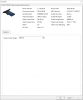
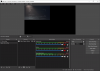
OBS displaying capture card at the wrong resolution

I'm trying to use an Elgato 4K60 Pro Mk. 2 with OBS and while the capture card shows up in OBS fine, it only shows up at 1080p when I'm trying to record at 4K. This goes against every other source showing that it is taking in a 4K signal, and in Elgato's own capture utility the capture is a native 4K as well. I recently installed Windows fresh on a new drive which is where this problem originated from, as this has never been an issue for me in the past.

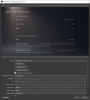
I have tried the "Custom Resolution" option in settings but all it does is upscale the image, it does not present the native 4K source.

LOG: https://obsproject.com/logs/F6v8YkNrdZNTAlFN
 

Attachments

  • 22.png
    22.png
    823.6 KB · Views: 608
  • 23.png
    23.png
    64.7 KB · Views: 566
  • 25.png
    25.png
    188.8 KB · Views: 566
Okay I figured it out, for anyone who runs into a similar issue, you need to set the custom resolution, then close OBS and re-open it. For some reason whenever I open the properties again and exit out without changing anything it reverts back to 1080p, I'm not sure why this card defaults to that, but it is what it is.
 
Thank you very much! I was using OBS without issue using the exact same capture card and didn't have any issues since 2023. Sometime down the line, it became an issue and I wasn't completely aware of it until recently, likely an OBS update. I was looking through all the settings with no luck until I came across this post. As mentioned, the capture card resolution had to be changed to custom 4k instead of 'device default' and the app has to be closed/opened again. Changed this setting a dozen times without closing and opening the app and didn't think to do so. Thank you again, will be suggesting OBS have a 'restart app' popup after this setting is changed to avoid future confusion. Until then, I hope more people with this issue find your post.
 
Back
Top