Kitkatnik
New Member
So I recently built a custom PC. Here's the build: https://pcpartpicker.com/user/Kitkatnik/saved/ntTjcf
Installed everything. Updated all the drivers. Set up OBS. Started streaming.
I stream through Switchboard Live, which has never caused problems (and I used to stream on a 2012 MacBook pro so this PC is a HUUUUUGE upgrade and should be working flawlessly compared to the laptop)
Almost every stream, OBS disconnects and reconnects, causing the stream to be broken into multiple parts. I had one stream that was cut off 6 times in 4 hours which is super frustrating.
I'm connected through ethernet. Internet is AT&T Fiber 1 gigabit. I've had them come over and check the network to see if it's that and it's not.
Running OBS 64bit as admin.
Twitch says it's the key rate which I've set at 0, 1, 2 and it doesn't work either way.
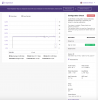
I'm attaching the log file from today + the Twitch Inspector screen from where it cut off during the stream (12 minutes in to the stream) and here's the message from Twitch inspector:
What can I do to fix this? I've tried everything that I've researched on these forums, on Google, had PC friends come over to check everything and they say it looks good, had 2 AT&T guys come and look at the network connections and we hardwired everything and it all looks good.
I have no idea what's going on but I'd really like to be able to do a Twitch stream without it cutting off randomly.
Thanks!
Installed everything. Updated all the drivers. Set up OBS. Started streaming.
I stream through Switchboard Live, which has never caused problems (and I used to stream on a 2012 MacBook pro so this PC is a HUUUUUGE upgrade and should be working flawlessly compared to the laptop)
Almost every stream, OBS disconnects and reconnects, causing the stream to be broken into multiple parts. I had one stream that was cut off 6 times in 4 hours which is super frustrating.
I'm connected through ethernet. Internet is AT&T Fiber 1 gigabit. I've had them come over and check the network to see if it's that and it's not.
Running OBS 64bit as admin.
Twitch says it's the key rate which I've set at 0, 1, 2 and it doesn't work either way.
I'm attaching the log file from today + the Twitch Inspector screen from where it cut off during the stream (12 minutes in to the stream) and here's the message from Twitch inspector:
Audio/Video configuration issues detected. Address the following to optimize your stream's viewing experience:
The stream is unstable. Please check your network connection.
The keyframe interval is more than 6 seconds, we recommend using 2 seconds for better video and latency.
The stream is unstable. Please check your network connection.
The keyframe interval is more than 6 seconds, we recommend using 2 seconds for better video and latency.
What can I do to fix this? I've tried everything that I've researched on these forums, on Google, had PC friends come over to check everything and they say it looks good, had 2 AT&T guys come and look at the network connections and we hardwired everything and it all looks good.
I have no idea what's going on but I'd really like to be able to do a Twitch stream without it cutting off randomly.
Thanks!