tomoffinland17
New Member
Hello All,
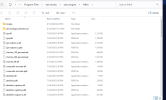
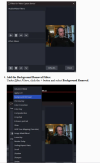
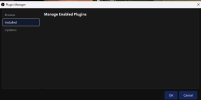
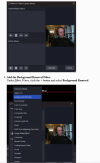
I went to github to install the obs background removal plugin. I unzipped the file as directed and put it into my C:\Program Files\obs-studio\obs-plugins\64bit and also into C:\Program Files\obs-studio\obs-plugins just to be sure. However, when I go into OBS Studio , the OBS Background Removal tool is not an option when choosing filters ( under Audio/Effect filters or Video filters) and under tools/filters there doesn't seem to be any filters and can't add filters. I've attached a few screenshots. Any ideas what's going on? Thank You :)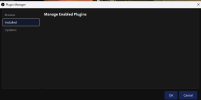
I went to github to install the obs background removal plugin. I unzipped the file as directed and put it into my C:\Program Files\obs-studio\obs-plugins\64bit and also into C:\Program Files\obs-studio\obs-plugins just to be sure. However, when I go into OBS Studio , the OBS Background Removal tool is not an option when choosing filters ( under Audio/Effect filters or Video filters) and under tools/filters there doesn't seem to be any filters and can't add filters. I've attached a few screenshots. Any ideas what's going on? Thank You :)