
Question / Help OBS and Capture Card.

klaaus

New Member
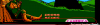
Hello. Does someone know why OBS is cutting piece of screen from my capture card? On other programs it works fine. I have a "magic trick" to fix it, but it takes a lot of time and its disposable. Said "magic trick" means clicking random options in capture card settings until it works as it should.
 

Attachments

  • SCREEN1.PNG
    SCREEN1.PNG
    151.5 KB · Views: 44
OBS does not crop by default, likely the settings of the capture card drivers are responsible.
 
A capture card is necessary ONLY if you want to capture footage of a different PC or Console. So if you want to use one PC to stream/record and one to play, then yes, you will need a capture card. If one of your PC's is powerful enough, you might be able to use it alone, without any further hardware.
Given the screenshot they'd posted was a snip from the NES Super Robin Hood, it's pretty safe to assume they're capturing from a console. Also not sure what's up with the bolding of random sections.

@klaaus, seconding what R1CH said, it looks like the capture card may be set up to crop overscan, or may be capturing at the incorrect resolution. That would be an issue with the capture card's configuration itself. Can you provide a bit more information about your capture pipeline? Any RGB or HDMI mod done to the console? Upscaler in use? Cap card in use? Have you tried plugging into a monitor directly rather than the capture card, to make sure it's not an earlier point in the pipeline causing the crop?
 
Back
Top