Question / Help OBS 32 bit ????

razajin

New Member
Im trying to stream with OBS and everytime I want to take use of the "game capture" feature it keeps giving me the message that i need the 32-bit version of OBS to use this feature. I didnt find any other download link for the 32 bit and it seems to be running only in the 64 bit version. How can i fix this?
In my OBS files there is a folder saying "32-bit" but nothing particular is in it, just the same files as in the 64-bit folder. I dont know how to i can use the OBS program in 32 bit instead of 64 bit, because its really bugging me that i cannot use the features i want.
 
razajin said:
In my OBS files there is a folder saying "32-bit" but nothing particular is in it, just the same files as in the 64-bit folder.

They are not the same. ;) You just need to start with this OBS.exe.
 
Also, I dont find any option where i can chose what mode to run OBS in...my vista version is 64 bit. does this matter, i have other programs that i can run on 32-bit version.
 
No the OS is different, most programs actually still run as 32bit applications. If nothing has changed your main folder for OBS should actually be the 32bit one and there should be a folder named 64bit with the "same" content and a obs.exe.

Did you use the installer or the zip files? If its really not in there i would say you should redownload it and try again.
 
I will go ahead and try this, i tried reinstalling once before and it didnt solve it, I will try with a different browser perhaps.
 
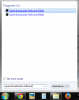
You can try to install OBS, then search for Open broadcaster software in programs and select the 32 bit version
 

Attachments

  • obs 32 bit.png
    obs 32 bit.png
    39.6 KB · Views: 3,931
Back
Top