Hello,
I just installed the Microsoft HEVC codec on a Windows 11 x64 machine.
When I start media player I can view HEVC encoded files.
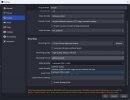
But when I open OBS , I still cannot select HEVC in output settings.
I included the log files.
How can I fix this?
I just installed the Microsoft HEVC codec on a Windows 11 x64 machine.
When I start media player I can view HEVC encoded files.
But when I open OBS , I still cannot select HEVC in output settings.
I included the log files.
How can I fix this?