TaffsX
New Member
I have use my M1 as "second pc" to stream games on my gamer pc or ps5/switch with external capture card and it works fine. However if I try to work with photoshop or other adobe apps, browsing on web with safari the mac dont run well. fps constantly drops and time to render a frame goes around 8˜350ms sometimes 1fps 200ms.
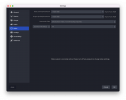
Im streaming on twitch using recommended settings except the keyframe interval:


Someone have any optimized settings, to go live and work at the same M1 Mac?
english is not my 1st languare, sry. :)
Im streaming on twitch using recommended settings except the keyframe interval:
Someone have any optimized settings, to go live and work at the same M1 Mac?
english is not my 1st languare, sry. :)