

Help Please!
OBS 21.1.2 preview and capture function does not work on my computer at all. I'm running it on a Windows Surface Pro3, under Windows10, I have changed the compatibility setting for 64bit and tried all kinds of online instructions already.
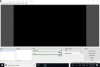
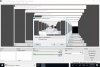
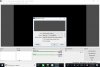
The preview is always a black screen, and if I create a new source for Display Capture, got a screen with many layers of display (see screen shot). For Game Capture, I'm getting black screen with audio recording only. Can you please take a look and trouble shoot it? Thank you so much!
OBS 21.1.2 preview and capture function does not work on my computer at all. I'm running it on a Windows Surface Pro3, under Windows10, I have changed the compatibility setting for 64bit and tried all kinds of online instructions already.
The preview is always a black screen, and if I create a new source for Display Capture, got a screen with many layers of display (see screen shot). For Game Capture, I'm getting black screen with audio recording only. Can you please take a look and trouble shoot it? Thank you so much!
Attachments
Last edited:
