
Question / Help NVENC H.264 Error, No error on X264 Though

NobleAbsinthe

New Member
I used to use the NVENC encoder a few patches ago, now it seems to give me the error saying "Starting the output failed. Please check the log for details."

X264 works but I'd like to compare differences if possible.

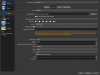
I included the log and my settings.

I would like to resolve this issue. Youtube didn't help, and browsing the forums I've come to different answers like my video card not being supported, even though a few months ago it was fine. I'm just trying to record some PS4 footage, and that "enable HDCP" is also disabled, so I think I'm doing everything "right."
 

Attachments

  • 2018-03-12 06-32-35.txt
    2018-03-12 06-32-35.txt
    16.5 KB · Views: 34
  • current settings.PNG
    current settings.PNG
    67.1 KB · Views: 39
06:32:50.352: [NVENC encoder: 'recording_h264'] settings:
06:32:50.352: rate_control: CBR
06:32:50.352: bitrate: 30000
06:32:50.352: cqp: 0
06:32:50.352: keyint: 250
06:32:50.352: preset: default
06:32:50.352: profile: main
06:32:50.352: level: auto
06:32:50.352: width: 1920
06:32:50.352: height: 1080
06:32:50.352: 2-pass: true
06:32:50.352: b-frames: 2
06:32:50.352: GPU: 0
06:32:50.352:
06:32:50.544: error: OpenEncodeSessionEx failed: out of memory (10)
06:32:50.557: fatal: No NVENC capable devices found
06:32:50.557: [NVENC encoder: 'recording_h264'] Failed to open NVENC codec: Generic error in an external library

Looks like your graphiccard is not correct installed? Maybe uninstall the current graphic driver with DDU and install it again
 
06:32:35.130: Physical Memory: 8130MB Total, 2366MB Free (NOTE: 32bit programs cannot use more than 3gb)
06:32:50.544: error: OpenEncodeSessionEx failed: out of memory (10)
06:32:50.557: fatal: No NVENC capable devices found
06:32:50.557: [NVENC encoder: 'recording_h264'] Failed to open NVENC codec: Generic error in an external library

First I would reinstall your GPU drivers like scionbln suggested. If the problem remains then I would see if you have other programs running, as the majority of your RAM looks like its already spoken for, and make sure to close them down. And also, make sure to run the 64 bit version of OBS, so it has better access to the memory, in theory. And I'm just basing this off the out of memory message.
 
Back
Top