Hello,
After running reddit, youtube videos and forum i finally try here to get help for my issue "Number of lagged frames due to rendering lag/stalls"
Every X seconds on my stream i saw that i have like a frame drop like every 2 sec and after looking in the logfile, i saw that i have ~8% lagged frames
I tried :
- lowering to the minimum the fps ingame (and cap fps to 30)
- lowering the bitrate (from 2500 to 8000)
- test it on twitch or youtube
- look for GPU consumption programs
- switch from program capture to screen capture
But nothing unusual or changing the situation discovered.
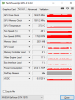
Logfile and gpuz screenshot added.
I can also provide a streaming record of the issue if needed
Thanks for your help.
After running reddit, youtube videos and forum i finally try here to get help for my issue "Number of lagged frames due to rendering lag/stalls"
Every X seconds on my stream i saw that i have like a frame drop like every 2 sec and after looking in the logfile, i saw that i have ~8% lagged frames
I tried :
- lowering to the minimum the fps ingame (and cap fps to 30)
- lowering the bitrate (from 2500 to 8000)
- test it on twitch or youtube
- look for GPU consumption programs
- switch from program capture to screen capture
But nothing unusual or changing the situation discovered.
Logfile and gpuz screenshot added.
Code:
21:51:44.463: CPU Name: Intel(R) Core(TM) i7-5930K CPU @ 3.50GHz
21:51:44.463: CPU Speed: 3500MHz
21:51:44.463: Physical Cores: 6, Logical Cores: 12
21:51:44.463: Physical Memory: 16279MB Total, 5411MB Free
21:51:44.463: Windows Version: 10.0 Build 16299 (revision: 371; 64-bit)
21:51:44.463: Running as administrator: false
21:51:44.463: Aero is Enabled (Aero is always on for windows 8 and above)
21:51:44.463: Windows 10 Gaming Features:
21:51:44.463:     Game Bar: Off
21:51:44.463:     Game DVR: Off
21:51:44.463:     Game DVR Background Recording: Off
21:51:44.463:     Game Mode: Off
21:51:44.464: Sec. Software Status:
21:51:44.465:     Antivirus Windows Defender: enabled (AV)
21:51:44.465:     Pare-feu Windows: enabled (FW)
21:51:44.465:     Antivirus Windows Defender: enabled (ASW)
21:51:44.465: Portable mode: false
21:51:44.548: OBS 21.1.0 (64bit, windows)
21:51:44.548: ---------------------------------
21:51:44.557: ---------------------------------
21:51:44.557: audio settings reset:
21:51:44.557:     samples per sec: 44100
21:51:44.557:     speakers:        2
21:51:44.558: ---------------------------------
21:51:44.558: Initializing D3D11...
21:51:44.558: Available Video Adapters:
21:51:44.559:     Adapter 1: NVIDIA GeForce GTX 1070
21:51:44.559:       Dedicated VRAM: 4194304000
21:51:44.559:       Shared VRAM:    4240123904
21:51:44.559:       output 1: pos={0, 0}, size={1920, 1080}, attached=true
21:51:44.560: Loading up D3D11 on adapter NVIDIA GeForce GTX 1070 (0)
21:51:44.601: D3D11 loaded successfully, feature level used: 45056
21:51:45.190: ---------------------------------
21:51:45.190: video settings reset:
21:51:45.190:     base resolution:   1920x1080
21:51:45.190:     output resolution: 1280x720
21:51:45.190:     downscale filter:  Bicubic
21:51:45.190:     fps:               60/1
21:51:45.190:     format:            NV12
21:51:45.190:     YUV mode:          601/Partial
21:51:45.191: Audio monitoring device:
21:51:45.191:     name: Par défaut
21:51:45.191:     id: default
21:51:45.192: ---------------------------------
21:51:45.193: Required module function 'obs_module_load' in module '../../obs-plugins/64bit/chrome_elf.dll' not found, loading of module failed
21:51:45.197: [CoreAudio encoder]: Adding CoreAudio AAC encoder
21:51:45.219: [AMF] AMF Test failed due to one or more errors.
21:51:45.219: Failed to initialize module 'enc-amf.dll'
21:51:45.227: Required module function 'obs_module_load' in module '../../obs-plugins/64bit/libcef.dll' not found, loading of module failed
21:51:45.227: LoadLibrary failed for '../../obs-plugins/64bit/libEGL.dll': (null) (127)
21:51:45.227: Module '../../obs-plugins/64bit/libEGL.dll' not loaded
21:51:45.228: Required module function 'obs_module_load' in module '../../obs-plugins/64bit/libGLESv2.dll' not found, loading of module failed
21:51:45.229: [browser_source: 'Version: 1.31.0']
21:51:45.231: NVENC supported
21:51:45.266: Couldn't find VLC installation, VLC video source disabled
21:51:45.267: No blackmagic support
21:51:45.273: ---------------------------------
21:51:45.273:   Loaded Modules:
21:51:45.273:     win-wasapi.dll
21:51:45.273:     win-mf.dll
21:51:45.273:     win-dshow.dll
21:51:45.273:     win-decklink.dll
21:51:45.273:     win-capture.dll
21:51:45.273:     vlc-video.dll
21:51:45.273:     text-freetype2.dll
21:51:45.273:     rtmp-services.dll
21:51:45.273:     obs-x264.dll
21:51:45.273:     obs-vst.dll
21:51:45.273:     obs-transitions.dll
21:51:45.273:     obs-text.dll
21:51:45.273:     obs-qsv11.dll
21:51:45.273:     obs-outputs.dll
21:51:45.273:     obs-filters.dll
21:51:45.273:     obs-ffmpeg.dll
21:51:45.273:     obs-browser.dll
21:51:45.273:     image-source.dll
21:51:45.273:     frontend-tools.dll
21:51:45.273:     enc-amf.dll
21:51:45.273:     coreaudio-encoder.dll
21:51:45.273: ---------------------------------
21:51:45.273: ==== Startup complete ===============================================
21:51:45.281: All scene data cleared
21:51:45.281: ------------------------------------------------
21:51:45.304: WASAPI: Device 'Casque pour téléphone (Astro A50 Voice)' initialized
21:51:45.311: WASAPI: Device 'Microphone sur casque (Astro A50 Voice)' initialized
21:51:45.366: adding 23 milliseconds of audio buffering, total audio buffering is now 23 milliseconds
21:51:45.572: WASAPI: Device 'Casque pour téléphone (Astro A50 Voice)' initialized
21:51:45.727: adding 23 milliseconds of audio buffering, total audio buffering is now 46 milliseconds
21:51:45.847: Failed to open file '//diskstation/Streaming/Streaming Tools/Images/Wow légion Guldan.jpg': Invalid argument
21:51:45.847: gs_image_file_init: Failed to load file '//diskstation/Streaming/Streaming Tools/Images/Wow légion Guldan.jpg'
21:51:45.847: [image_source: 'Image'] failed to load texture '//diskstation/Streaming/Streaming Tools/Images/Wow légion Guldan.jpg'
21:51:45.852: Switched to scene 'Scène'
21:51:45.853: [game-capture: 'Capture de jeu'] attempting to hook process: Wow-64.exe
21:51:45.855: ------------------------------------------------
21:51:45.855: Loaded scenes:
21:51:45.855: - scene 'Scène':
21:51:45.855:     - source: 'Capture de l'audio sortant' (wasapi_output_capture)
21:51:45.855:     - source: 'Capture de jeu' (game_capture)
21:51:45.855:     - source: 'Image' (image_source)
21:51:45.855: - scene 'Bureau':
21:51:45.855:     - source: 'Capture d'écran' (monitor_capture)
21:51:45.855: ------------------------------------------------
21:51:45.858: [game-capture: 'Capture de jeu'] capture stopped
21:51:47.859: [game-capture: 'Capture de jeu'] attempting to hook process: Wow-64.exe
21:51:47.875: [game-capture: 'Capture de jeu'] capture stopped
21:51:49.876: [game-capture: 'Capture de jeu'] attempting to hook process: Wow-64.exe
21:51:49.892: [game-capture: 'Capture de jeu'] capture stopped
21:51:51.892: [game-capture: 'Capture de jeu'] attempting to hook process: Wow-64.exe
21:51:51.908: [game-capture: 'Capture de jeu'] capture stopped
21:51:53.909: [game-capture: 'Capture de jeu'] attempting to hook process: Wow-64.exe
21:51:53.925: [game-capture: 'Capture de jeu'] capture stopped
21:51:55.926: [game-capture: 'Capture de jeu'] attempting to hook process: Wow-64.exe
21:51:55.942: [game-capture: 'Capture de jeu'] capture stopped
21:51:57.942: [game-capture: 'Capture de jeu'] attempting to hook process: Wow-64.exe
21:51:57.958: [game-capture: 'Capture de jeu'] capture stopped
21:51:59.959: [game-capture: 'Capture de jeu'] attempting to hook process: Wow-64.exe
21:51:59.975: [game-capture: 'Capture de jeu'] capture stopped
21:52:01.976: [game-capture: 'Capture de jeu'] attempting to hook process: Wow-64.exe
21:52:01.992: [game-capture: 'Capture de jeu'] capture stopped
21:52:03.992: [game-capture: 'Capture de jeu'] attempting to hook process: Wow-64.exe
21:52:04.008: [game-capture: 'Capture de jeu'] capture stopped
21:52:06.009: [game-capture: 'Capture de jeu'] attempting to hook process: Wow-64.exe
21:52:06.025: [game-capture: 'Capture de jeu'] capture stopped
21:52:08.026: [game-capture: 'Capture de jeu'] attempting to hook process: Wow-64.exe
21:52:08.042: [game-capture: 'Capture de jeu'] capture stopped
21:52:10.839: [game-capture: 'Capture de jeu'] attempting to hook process: Wow-64.exe
21:52:10.841: [game-capture: 'Capture de jeu'] capture stopped
21:52:12.759: [game-capture: 'Capture de jeu'] attempting to hook process: Wow-64.exe
21:52:12.865: [game-capture: 'Capture de jeu'] capture stopped
21:52:14.776: [game-capture: 'Capture de jeu'] attempting to hook process: Wow-64.exe
21:52:14.792: [game-capture: 'Capture de jeu'] capture stopped
21:52:16.792: [game-capture: 'Capture de jeu'] attempting to hook process: Wow-64.exe
21:52:16.808: [game-capture: 'Capture de jeu'] capture stopped
21:52:18.809: [game-capture: 'Capture de jeu'] attempting to hook process: Wow-64.exe
21:52:18.825: [game-capture: 'Capture de jeu'] capture stopped
21:52:20.826: [game-capture: 'Capture de jeu'] attempting to hook process: Wow-64.exe
21:52:20.842: [game-capture: 'Capture de jeu'] capture stopped
21:52:22.842: [game-capture: 'Capture de jeu'] attempting to hook process: Wow-64.exe
21:52:22.858: [game-capture: 'Capture de jeu'] capture stopped
21:52:24.859: [game-capture: 'Capture de jeu'] attempting to hook process: Wow-64.exe
21:52:24.875: [game-capture: 'Capture de jeu'] shared texture capture successful
21:52:28.828: ---------------------------------
21:52:28.828: [NVENC encoder: 'streaming_h264'] settings:
21:52:28.828:     rate_control: CBR
21:52:28.828:     bitrate:      8000
21:52:28.828:     cqp:          0
21:52:28.828:     keyint:       120
21:52:28.828:     preset:       hq
21:52:28.828:     profile:      high
21:52:28.828:     level:        auto
21:52:28.828:     width:        1280
21:52:28.828:     height:       720
21:52:28.828:     2-pass:       true
21:52:28.828:     b-frames:     2
21:52:28.828:     GPU:          0
21:52:28.828:
21:52:29.119: [CoreAudio AAC: 'Track1']: settings:
21:52:29.119:     mode:          AAC
21:52:29.119:     bitrate:       160
21:52:29.119:     sample rate:   44100
21:52:29.119:     cbr:           on
21:52:29.119:     output buffer: 1536
21:52:29.119: [rtmp stream: 'adv_stream'] Connecting to RTMP URL rtmp://a.rtmp.youtube.com/live2...
21:52:29.122: [rtmp stream: 'adv_stream'] Interface: Killer E2200 Gigabit Ethernet Controller (ethernet, 1000 mbps)
21:52:29.466: [rtmp stream: 'adv_stream'] Connection to rtmp://a.rtmp.youtube.com/live2 successful
21:52:29.469: ==== Streaming Start ===============================================
21:53:05.352: [rtmp stream: 'adv_stream'] User stopped the stream
21:53:05.352: Output 'adv_stream': stopping
21:53:05.352: Output 'adv_stream': Total frames output: 2138
21:53:05.352: Output 'adv_stream': Total drawn frames: 2011 (2178 attempted)
21:53:05.352: Output 'adv_stream': Number of lagged frames due to rendering lag/stalls: 167 (7.7%)
21:53:05.354: ==== Streaming Stop ================================================
21:59:32.210: ---------------------------------
21:59:32.210: [NVENC encoder: 'streaming_h264'] settings:
21:59:32.210:     rate_control: CBR
21:59:32.210:     bitrate:      8000
21:59:32.210:     cqp:          0
21:59:32.210:     keyint:       120
21:59:32.210:     preset:       hq
21:59:32.210:     profile:      high
21:59:32.210:     level:        auto
21:59:32.210:     width:        1280
21:59:32.210:     height:       720
21:59:32.210:     2-pass:       true
21:59:32.210:     b-frames:     2
21:59:32.210:     GPU:          0
21:59:32.210:
21:59:32.337: [CoreAudio AAC: 'Track1']: settings:
21:59:32.337:     mode:          AAC
21:59:32.337:     bitrate:       160
21:59:32.337:     sample rate:   44100
21:59:32.337:     cbr:           on
21:59:32.337:     output buffer: 1536
21:59:32.337: [rtmp stream: 'adv_stream'] Connecting to RTMP URL rtmp://a.rtmp.youtube.com/live2...
21:59:32.360: [rtmp stream: 'adv_stream'] Interface: Killer E2200 Gigabit Ethernet Controller (ethernet, 1000 mbps)
21:59:32.784: [rtmp stream: 'adv_stream'] Connection to rtmp://a.rtmp.youtube.com/live2 successful
21:59:32.787: ==== Streaming Start ===============================================
22:00:03.476: [rtmp stream: 'adv_stream'] User stopped the stream
22:00:03.476: Output 'adv_stream': stopping
22:00:03.476: Output 'adv_stream': Total frames output: 1826
22:00:03.476: Output 'adv_stream': Total drawn frames: 1720 (1869 attempted)
22:00:03.476: Output 'adv_stream': Number of lagged frames due to rendering lag/stalls: 149 (8.0%)
22:00:03.478: ==== Streaming Stop ================================================
I can also provide a streaming record of the issue if needed
Thanks for your help.