Question / Help Number of lagged frames due to rendering lag/stalls

Liderman

New Member
So, guys first of all I 'd like to say hi and thank you for this great project,
I'm kind of new on this streaming thing so, I'm trying to do my best to my stream works very well, but unfortunately the game Im streaming I read a lot about it and apparently has an issue with the obs but im not sure about that because I have seen a lot of streamer playing it and streaming it from the same pc at the same time .
Im trying to stream Rainbow Six siege and this my config
This the log
https://gist.github.com/01fdc601c5b6d8a6b2359787a4bd16fc
Number of lagged frames due to rendering lag/stalls: 34444 (16.2%)

And this is my PC
CORR i7 6700
16 GM RAM
Sata HDD 7200rpm
NVIDIA GXT 1060 6GB

I hope you can help me
I let you guys few of my stream so you can watch how is it going
https://www.twitch.tv/videos/219179010
https://www.twitch.tv/videos/219173432
https://www.twitch.tv/videos/219168354
https://www.twitch.tv/videos/219161771

Regards.

UPDATE 1
Last log
https://gist.github.com/18381729f2522ca53e8f4c4ffe739525


Attachments
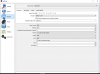
  • settings.png
    settings.png
    47.5 KB · Views: 51
  • VideoSettings.png
    VideoSettings.png
    36.7 KB · Views: 47
Last edited:
14:18:32.850: Windows 10 Gaming Features:
14:18:32.850: Game Bar: On
14:18:32.850: Game DVR Allowed: Yes
14:18:32.850: Game DVR: On

Turn all that stuff Off in Windows.

14:18:34.483: [DShow Device: 'PS4'] settings updated:
14:18:34.483: video device: AVerMedia C835 Capture
14:18:34.483: video path: \\?\usb#vid_07ca&pid_c835#308038000213#{65e8773d-8f56-11d0-a3b9-00a0c9223196}\{957bd672-7934-4b55-b81a-3e22b14c679a}
14:18:34.483: resolution: 720x480
14:18:34.483: fps: 59.94 (interval: 166833)
14:18:34.483: format: H264
14:18:34.483: using video device audio: yes
14:18:34.483: sample rate: 48000
14:18:34.483: channels: 2
14:18:34.483: audio type: Capture

Change that to 44100 Hz.

Or...

14:18:36.323: [Media Foundation AAC: 'Track1']: encoder created
14:18:36.323: bitrate: 128
14:18:36.323: channels: 2
14:18:36.323: sample rate: 44100
14:18:36.323: bits-per-sample: 16

Change that to 48000 Hz. Choose one or the other (one is the CD standard and the other is the DVD standard, 99% of humans can't tell the difference between the two).

14:18:36.184: [NVENC encoder: 'streaming_h264'] settings:
14:18:36.184: rate_control: CBR
14:18:36.184: bitrate: 3800
14:18:36.184: cqp: 0
14:18:36.184: keyint: 120
14:18:36.184: preset: llhq
14:18:36.184: profile: main
14:18:36.184: level: auto
14:18:36.184: width: 1280
14:18:36.184: height: 720
14:18:36.184: 2-pass: true
14:18:36.184: b-frames: 2
14:18:36.184: GPU: 0

Change the preset to HQ and 2-pass to False. Move the bitrate up to 6000 kbps (the Twitch max limit), if your outgoing internet speed can handle it. Or consider using x264 instead of NVEnc.

I expect fixing what I quoted first should fix the rendering lag problem, the rest are just tweaks for better performance.
 
Thank you man, I appreciate a lot your help...

This is the last log, and still stream is lagged on twitch, I tried streamcast service and is lagged as well
https://gist.github.com/e5ae73837a65c4f9022ad85e06588843

I also tried x264 but always is dropping frame and due to that can't streaming at all...
I have vsync off of my nvidia

Regards.

Update 1
https://gist.github.com/2bb761d3dd033ed034f99fdd8d76e886

Update 2
https://gist.github.com/3e3a0462a73c2e5e0ee3f23da941b968


update 3
https://gist.github.com/65317176c5dbba41efbb591adba6228b

Update 4 (30 fps)
https://gist.github.com/7e2e542919811f3d4f7e3235d7ebe6bb

Update 5
https://gist.github.com/471bee69b1de330b0ac696f5a459c68b

Update 6
https://gist.github.com/b0961053e1de2f2d4626414c727ae04e
 
Last edited:
Well the other thing it could be is if you don't limit your framerate / use V-Sync. You should do one or both of those to make sure that your GPU isn't overloaded.
 
Ok, I figured it out, the thing is I was using a TV as a monitor that maximum is 1366x768 60 hz, so, I was using the game on 1600x900 because lower is ugly as the framerate must be higher the monitor can't support it, the solution was
in-game
1. set the game to borderless to fit the monitor max resolution,
2. also use vsync in game 1 frame.

obs
Output
bitrate 6000
preset HQ
profile main
B-frame 2

But even that can fix my lag problem I didn't want to play the game with a low resol, So, I bought a new gaming monitor of 144hz 1920x1080. hehehe, now I'm able to stream 1080x60fps without lag at all...

Thank you Boikdown

This post can be close now.
 
Back
Top