Hello,
I use Bluetooth headphones while working on my laptop, and my output is set to that when they are on. Everything works fine until I open OBS then my audio will not play through these headphones. Audio is fine if I switch to laptop speakers. Ironically, when I record using screen capture, the audio that would be fed to my Bluetooth headphones is recorded, I just don't hear it until playback - I need to be able to hear it regularly and could use some help.
Here is a log file
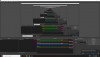
I've also attached a screenshot that shows that I don't have either muted in the main window, and that the audio levels are picking up sound I just can't hear it?
The second I close OBS my audio is heard again.
Thanks for the help in advance.
I use Bluetooth headphones while working on my laptop, and my output is set to that when they are on. Everything works fine until I open OBS then my audio will not play through these headphones. Audio is fine if I switch to laptop speakers. Ironically, when I record using screen capture, the audio that would be fed to my Bluetooth headphones is recorded, I just don't hear it until playback - I need to be able to hear it regularly and could use some help.
Here is a log file
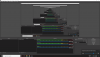
I've also attached a screenshot that shows that I don't have either muted in the main window, and that the audio levels are picking up sound I just can't hear it?
The second I close OBS my audio is heard again.
Thanks for the help in advance.